

Related Posts



Podcasts



You’re doing everything right.
You’re using HubSpot. You’re publishing regularly. You’ve nailed your SEO checklist: headlines, meta descriptions, keywords, internal links. Everything looks clean, polished, and by the book.
But your blog still isn’t ranking. And it’s driving you mad.
If this is you, this blog article will solve your problem once and for all.
Here’s the truth: it’s not HubSpot’s fault. It’s not even your fault.
It’s just that the rules have changed, and no one told you.
Google no longer cares how perfect your SEO setup is if your content isn’t genuinely helpful.
That means answering real customer questions in a way that shows you actually understand what they’re trying to solve.
In this article, you’ll learn why your blog isn’t ranking (even with HubSpot) and what to do instead.
We’ll break down how Google now evaluates content, and more importantly, how to create blog posts that deserve to rank because they help your audience more than anyone else’s.
Why HubSpot Isn’t Enough
HubSpot is great at a lot of things… content scheduling, SEO suggestions, analytics, and making sure your blog looks professional. But there’s one thing it can’t do:
Make your content genuinely helpful.
And that’s the problem.
Too many blogs rely on tools like HubSpot to “optimise” their posts, assuming ticking all the SEO boxes will get them to the top of Google. Maybe that worked five years ago. Not anymore.
Here’s what’s changed: Google has moved away from keyword-stuffed content that just plays the algorithm game. Instead, it’s doubling down on helpfulness. In plain English?
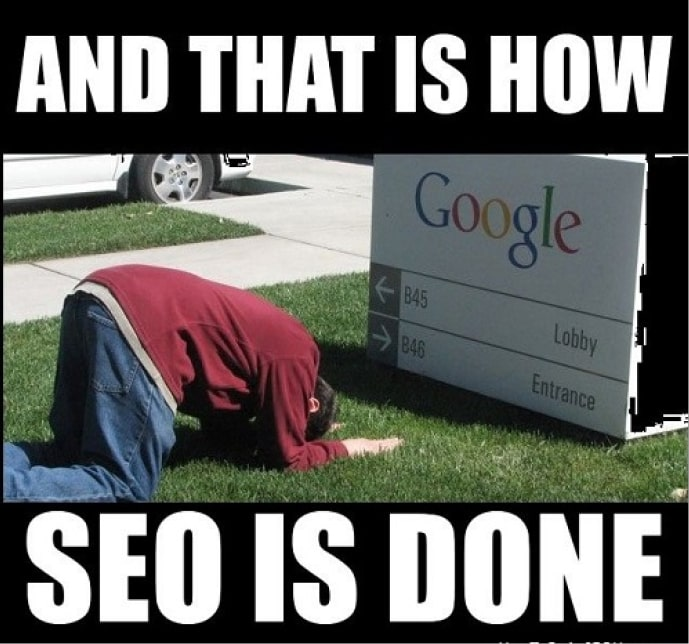
Gone are the days of optimising your content for Google. Now, it’s about optimising your content for real people.
Google wants to see if your content actually answers someone’s question.
- It doesn’t care if your H1 is the perfect length.
- It doesn’t care if you’ve used the keyword three times in the intro.
- And it definitely doesn’t care if your blog layout is neat and tidy.
If your post isn’t useful (if it doesn’t solve a problem or give a clear, accurate answer) it won’t rank. Even if you’re using HubSpot. Even if your Domain Authority is high. Even if you’ve got backlinks.
That’s the harsh truth.
Tools like HubSpot are great assistants. But they’re not substitutes for understanding your customer’s problems and speaking directly to them.
What Google Actually Wants
Google’s goal is simple: deliver the best, most relevant answer to a searcher’s question. And lately, it’s getting a lot better at figuring out whether your content actually does that.
This shift has a name—the Helpful Content Update—and it’s changed how content is ranked.


How Google’s New ‘Helpful Content’ Algorithm Update Changes the Way We Write Content
Here’s what Google is now prioritising:
- Genuinely helpful content. Not keyword-driven fluff. Real answers to real questions.
- Content written for humans, not algorithms. That means clear explanations, practical advice, and no jargon.
- Content that reflects real expertise or lived experience. If your blog reads like it was written by someone who’s been there and solved the problem, it’s more likely to rank.
This means your content has to match the intent behind the search. So if someone types “how to fix a leaking tap”, they’re not looking for a history of plumbing, they want steps to fix the leak. Fast.
And if your blog drifts off into brand promotion or generic advice? Google’s going to skip it.
It’s not about how optimised your content looks… it’s about how useful it is to the reader.
That’s what Google rewards now.
Why Your Blog Might Be Falling Short

You’ve probably done everything by the book—researched keywords, followed HubSpot’s SEO tips, formatted your headers, added internal links.
But if your blog still isn’t ranking, chances are it’s missing the one thing Google now cares about most: relevance to your reader’s real problem.
Here’s where most blogs go wrong:
1. Writing for algorithms, not people
You might be ticking all the SEO boxes, but if your post reads like it was written for a robot, Google will treat it that way. Overuse of keywords, vague content, or filler just to hit word counts, it all adds up to unhelpful content.
2. Answering the wrong question
Sometimes, the topic is technically “right”, but the content doesn’t actually solve the user’s real issue. For example, a blog titled “How to improve email open rates” might go on about generic marketing strategy instead of giving clear, practical tactics someone can use today.
3. Trying to rank for broad, impossible keywords
You’re writing about “content marketing strategy” or “SEO tips”, but you’re up against massive publishers. Instead of competing on broad terms, you should be zeroing in on long-tail, specific queries your audience is actually searching for.
4. Ignoring the reader’s intent
Are they looking to solve a problem? Learn something new? Make a decision? If your content doesn’t match that intent, it’s not going to perform, no matter how technically sound it is.
How to Fix a Low Ranking Blog
Simple: stop guessing what your audience wants to read, and start answering their real questions.
Here’s how to do that, step by step:
Step 1: Find out what your audience is actually asking
The goldmine isn’t in your keyword tool, it’s in your customer conversations.
Start here:
- Talk to your sales and support teams. What questions come up again and again?
- Look at your live chat transcripts or CRM notes. What problems are people struggling with?
- Use tools like AnswerThePublic or Reddit. These show you the exact questions people are typing into Google.
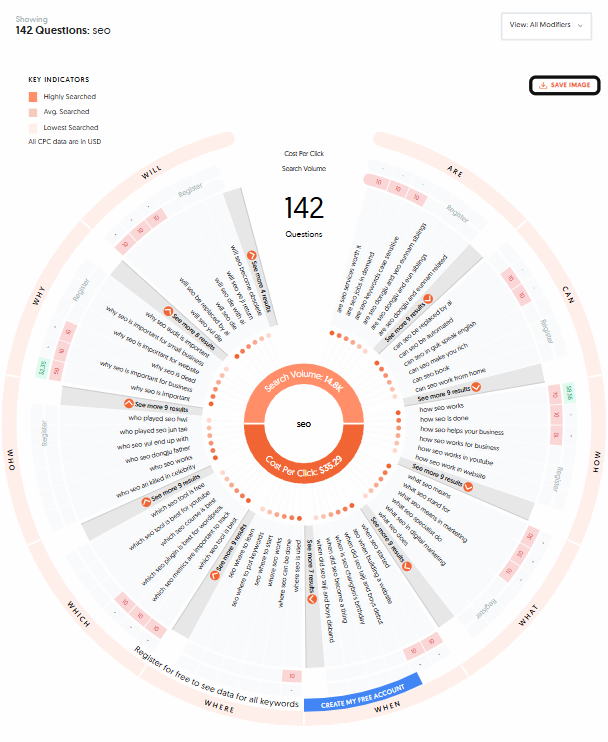
The aim is to uncover the real, everyday questions your potential buyers are asking… the stuff they’d never type into a formal keyword research tool.
Step 2: Turn questions into blog titles
If a customer asks, “How long does it take to see SEO results?”, don’t write a vague piece on “SEO timelines”. Instead, write a blog titled “How long does SEO take to work? (And how to speed it up)”.
Make the title clear, specific, and aligned with the original question.
Step 3: Write like a human who’s been there
Now that you have the question, answer it in plain English. Be helpful. Get to the point. Use examples. Avoid fluff.
A good rule: if you wouldn’t send this blog to a confused customer and expect it to help, it’s not helpful enough.
You’re probably wondering, “can I use ChatGPT to help me speed it up?”
Yes, but you need to make sure that it sounds human. Below is a short guide explaining exactly how you can do that.

How to Train ChatGPT to Write Like You
Step 4: Optimise after it’s helpful
Only after you’ve nailed the usefulness should you go back and:
- Add a compelling meta description
- Insert internal links
- Check for a clear H1 and clean structure
Think of SEO as the polish, not the paint.
FAQs About SEO (Especially If You’re Using HubSpot)
1. Does using HubSpot guarantee better rankings on Google?
No. HubSpot is a great platform for managing and publishing content, but it doesn’t guarantee rankings. Google rewards helpful, relevant content, regardless of what platform you use.
2. I’ve optimised my blog for keywords—why isn’t it ranking?
Keyword optimisation is just one part of SEO. If your content doesn’t answer a specific user question or match their search intent, it won’t rank, no matter how well it’s “optimised.”
3. What’s more important: keyword usage or content quality?
Content quality. You still need to use the right terms so Google understands what your post is about, but your main goal should be helping the reader solve a problem clearly and completely.
4. Should I still follow HubSpot’s SEO suggestions?
Yes, but don’t treat them as the whole strategy. Use them to improve your content’s structure and visibility, but always make sure your content is rooted in actual user questions.
5. How long should my blog posts be for SEO?
There’s no magic word count. A helpful 500-word blog can outperform a fluffy 2,000-word one. Focus on covering the topic thoroughly, no more, no less.
6. How can I tell if my content is “helpful” enough?
Ask yourself: Would this post genuinely help someone solve the problem they searched for? If you’re unsure, show it to a team member outside marketing, or better yet, to a customer, and get their reaction.
7. What’s the fastest way to start improving my rankings?
Start by identifying the top 5 questions your customers ask again and again. Write detailed, helpful blog posts that directly answer each one. That alone can start moving the needle faster than any technical tweak.
So, What’s Next?

If your blog isn’t ranking, even though you’re using HubSpot and following all the SEO rules it’s not because you’re doing something wrong.
It’s because you’re focusing on the wrong goal.
Tools like HubSpot help you structure and distribute content, but they don’t decide what Google values. And right now, Google values one thing above all else: helpfulness.
That means:
- Writing for people, not search engines
- Answering real customer questions
- Focusing on clarity over complexity
- Putting usefulness before optimisation
When you stop treating content like a technical exercise and start treating it like a conversation with your buyer, you’ll see a shift, not just in rankings, but in engagement, conversions, and trust.
So next time you’re stuck wondering why your latest blog post didn’t take off, ask yourself this:
“Did I actually help someone with this?”
If the answer is yes, you’re on the right track.
If not, you know what to fix.
We’ve created an all encompassing SEO guide that takes you through every step to ensure your success with SEO. Check it out below.

The Ultimate Guide to SEO (Step by Step Guide)