







Is HubSpot Right for My Business? Here’s How to Tell

You’re juggling a dozen tools.
One for email. Another for sales. A spreadsheet to track leads. A separate one for marketing.
Every time you need to find something (or check if someone followed up) you’re hunting through tabs, threads, or asking your team, “Where’s that info again?”
It worked fine when things were simpler. But now? It’s holding you back.
You’ve heard about HubSpot. Maybe someone recommended it. Maybe you’re using the free version.
But you’re still wondering: Is this the tool that’ll actually make things easier, or is it just another expensive system we’ll barely use?
You’re not alone in asking that question.
In this article, you’ll get a clear, honest breakdown of what HubSpot is, when it works, and how to know if it’s the right fit for your business.
What HubSpot Actually Does (in Plain English)
Let’s strip away the jargon. HubSpot is a CRM platform, but it’s more than just a place to store contact details.
It brings your marketing, sales, and customer service tools together in one place so your team can stop jumping between systems and start working more efficiently.
Here’s what that means:
- CRM (Customer Relationship Management): At the core, HubSpot helps you track every contact, lead, and deal in one dashboard. You can see who’s been contacted, what they opened, what they clicked, and what the next step is, without chasing down emails or spreadsheets.
- Marketing & Content Hub: Want to send emails, create forms, build landing pages, run ads, post social content, create podcasts, or automate campaigns? That’s what the Marketing Hub is for. It helps you create content and generate and nurture leads, without needing five different tools.
- Sales Hub: This gives your sales team visibility and structure. Think: deal tracking, task reminders, email templates, meeting scheduling, and pipeline forecasting—all in one place.
- Service Hub: Need to manage support tickets or customer inquiries? The Service Hub lets you track and respond from one central inbox, so nothing slips through the cracks.
- Operations Hub (for the more technical teams): If you’re dealing with lots of tools and data, this hub helps sync everything and automate internal processes.
HubSpot is built to scale. You can start with just the CRM (which is free), then add hubs as you grow. It’s all about creating a connected experience, for your team and your customers.
For a deeper dive into HubSpot pricing, check out these articles:


What Does HubSpot Do? (The Ultimate 2025 Guide)
5 Signs HubSpot Might Be Right for You
Not every business requires HubSpot, but if any of this sounds familiar, it might be exactly what you’re looking for:
| Sign | What It Looks Like | How HubSpot Helps |
| 1. Your tools don’t talk to each other | You’re using multiple platforms for email, sales, and customer service but they don’t sync. | HubSpot brings everything under one roof, giving your team one system to work from. |
| 2. Leads are falling through the cracks | Follow-ups are inconsistent, and no one knows who’s contacted who. | Automated reminders, tasks, and tracking keep every lead nurtured and on the radar. |
| 3. Your team is bogged down in manual work | Logging calls, copying data, rewriting emails… it’s eating time. | HubSpot automates repetitive tasks so your team can focus on selling. |
| 4. You’re flying blind with reporting | You can’t easily answer questions like “what’s working?” or “what’s converting?” | Built-in reports and dashboards show you what’s working in real time. |
| 5. Growth is getting messy | As your business grows, your systems are breaking down. | HubSpot gives you scalable processes so you can grow without losing control. |
3 Signs You Might Not Be Ready Yet
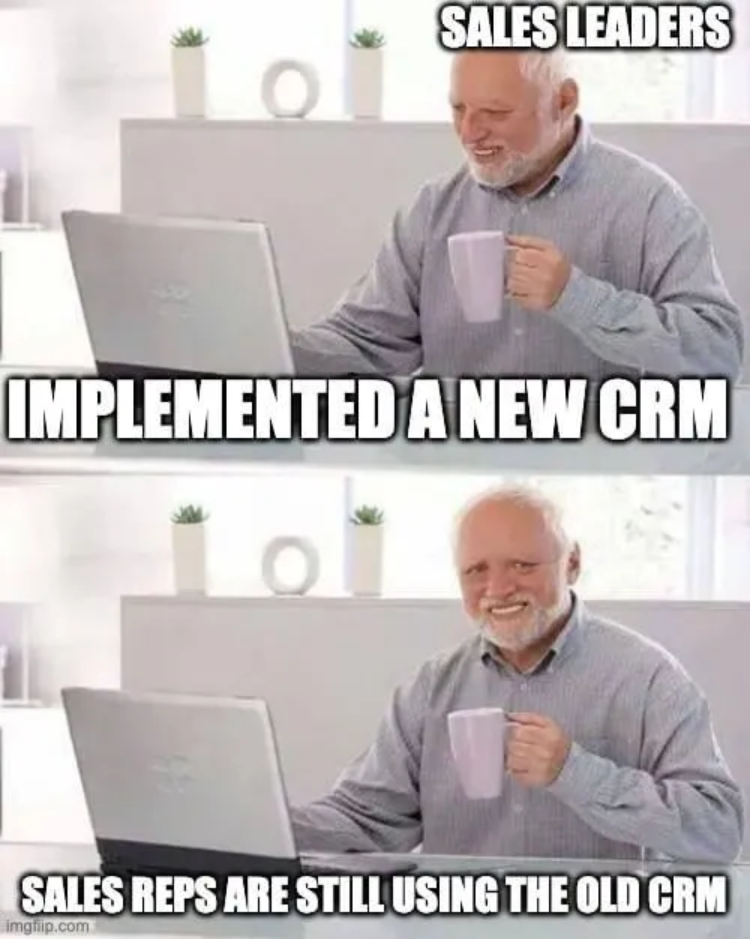
HubSpot can transform how you run your business but only if you’re at the right stage. Here are a few signs that it might be too soon to dive in:
1. You’re not clear on your sales or marketing process
If you’re still figuring out who your ideal customers are, how they move through your funnel, or what your follow-up process should be, HubSpot might feel like overkill.
It’s built to support systems, not create them from scratch. In this case, you’re better off mapping your process first before layering in tools to support it.
2. You just need a simple contact list
Sometimes, all you really need is a basic way to store and access names and email addresses.
If you’re not doing much marketing or sales outreach yet, you probably don’t need all the features HubSpot offers. You could start with their free CRM,or even a spreadsheet, until your needs become more complex.
3. Your team isn’t ready for change
Even the best tool won’t work if no one uses it. If your team is already stretched thin or slow to adopt new systems, rolling out a new platform might add stress instead of saving time. In this case, focus on building buy-in slowly. Start with one hub (like Marketing or Sales) and expand as your team gets comfortable.
How to Know for Sure If You Need HubSpot
Still not sure if HubSpot is right for your business? Use this quick checklist to see where you stand.
If you say “yes” to at least 3 of these, HubSpot is probably worth serious consideration:
- You’re managing leads or customers in more than one tool (and it’s a headache).
- You’ve missed follow-ups or leads have gone cold because of poor tracking.
- Your team is manually logging calls, copying data, or repeating tasks.
- You want better reporting but don’t have the time or tools to build it.
- Your sales and marketing teams aren’t aligned—or don’t even know what each other is doing.
- You’re planning to grow and know your current systems won’t scale with you.
Said “no” to most of those? You might be fine sticking with simpler tools for now. But if those checkboxes feel a little too familiar, it’s probably time to start exploring HubSpot seriously.
Wrap Up & FAQs
If you’re still relying on a patchwork of tools, manual processes, and crossed fingers to manage leads and customers, then yes, HubSpot might be exactly what you need.
It’s not just a shiny piece of software. It’s a centralised system that brings your sales, marketing, and service together so your team can work smarter, not harder.
That said, timing matters. If you’re still defining your processes, or your team isn’t ready to adopt something new, it’s okay to wait. The right tool at the wrong time is still the wrong move.
But if you’re feeling the friction of growth, missing leads, or struggling with visibility… HubSpot could be the system that gets you organised, aligned, and ready to scale.
If you want to get some discounts on HubSpot, we might be able to help as a HubSpot Partner. Get in touch with us here.
FAQ: Common Questions About HubSpot
Is HubSpot just for big companies?
A. Nope. HubSpot is built to scale. You can start small with free tools or a single hub and add more as your business grows.
What does HubSpot actually cost?
A. There’s a free CRM, and paid plans vary depending on the hubs and features you choose. It’s flexible, but yes, cost can grow as you scale. The key is to only pay for what you need. See pricing here for Marketing Hub and here for Sales Hub.
Will my team actually use it?
A. HubSpot is known for its clean, user-friendly interface. But adoption still comes down to training and leadership. Start small, get buy-in, and roll it out in phases if needed.
Can it integrate with our existing tools?
A. Most likely, yes. HubSpot has a huge library of integrations, from Gmail and Outlook to Slack, Zoom, and thousands more.




Get the best content marketing insights right in your inbox!
Subscribe to our Newsletter and get marketing insights delivered to your inbox every week.