

Related Posts



Podcasts




Stop me if you’ve heard this one before.
Your marketing team builds what should be a solid email campaign: sharp creative, segmented lists, good timing. You hit send.
Then the numbers roll in: bounces, unsubscribes, low open rates, and barely any conversions.
The sales team shrugs and tells you that your leads are junk again.
You double-check HubSpot. Everything looks fine on the surface.
But beneath that, there’s chaos: duplicate contacts, outdated emails, and unengaged subscribers cluttering every list.
It’s not a campaign problem like you suspect… It’s a HubSpot list hygiene problem.
Here’s the thing: poor data quality doesn’t just make your metrics ugly. It quietly erodes ROI, kills deliverability, and fuels the blame game between marketing and sales.
We’ve seen this pattern play out across hundreds of HubSpot portals. Most businesses think they’ve got a content or strategy issue; when in reality, their HubSpot portal is running on messy data.
By the end of this article, you’ll learn exactly what poor list hygiene looks like inside HubSpot, the damage it causes to your marketing engine, and what to do to fix it before it drags your ROI down any further.
What Is HubSpot “List Hygiene”?
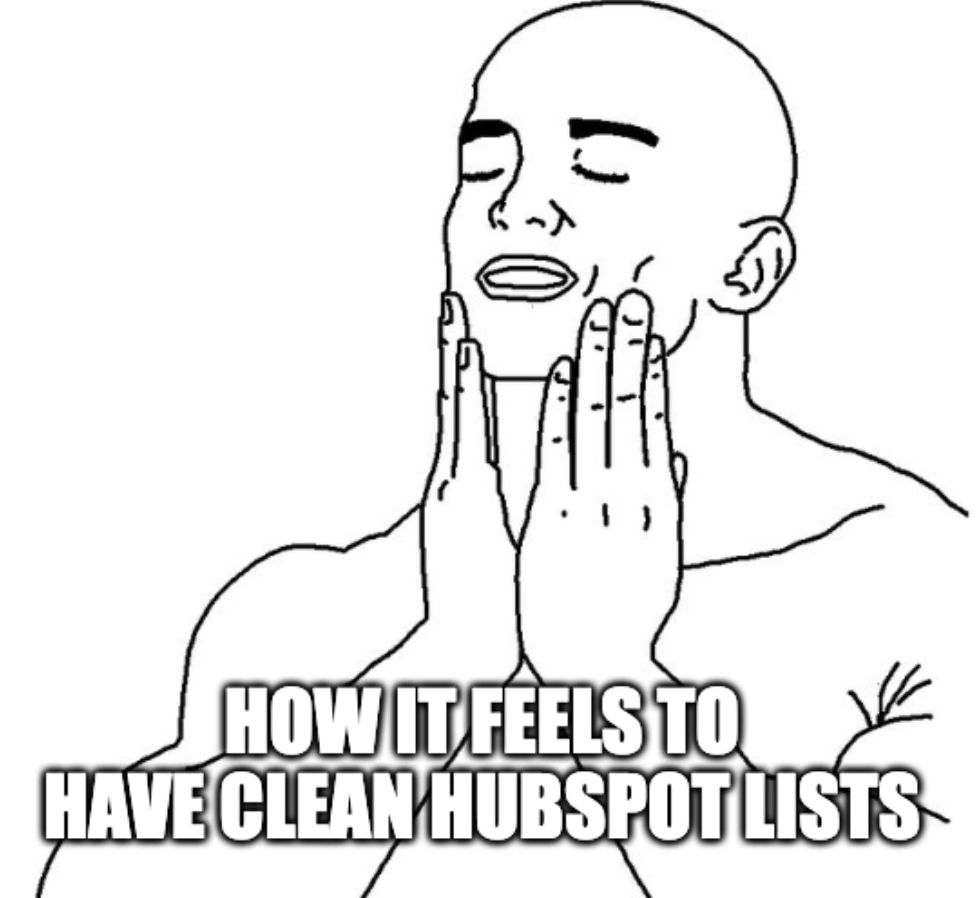
“List hygiene” isn’t glamorous, but it’s the quiet backbone of your marketing performance.
In HubSpot, it simply means keeping your contact database clean, accurate, and organised so every email, workflow, and report is powered by trustworthy data.
When your lists are healthy, you can confidently segment contacts, personalise emails, and report on results that actually mean something.
And when they’re not, everything you build on top of them might start to wobble.
Here’s what poor list hygiene usually looks like:
- Duplicate records: the same person appears multiple times, skewing lead counts and confusing sales.
- Outdated contacts: old or invalid emails that bounce and can damage sender reputation.
- Unengaged subscribers: people who haven’t opened an email in months, dragging your deliverability rates down.
- Incomplete or inconsistent data: missing job titles, company names, or lifecycle stages, breaking your automation logic.
HubSpot doesn’t automatically fix these problems; it only gives you tools to manage them.
But these tools only work if you use them consistently.
Think of your CRM like a garden: even the best soil grows weeds if it’s left unattended. List hygiene is the regular maintenance that keeps your HubSpot environment thriving.


How Do I Build a Lead Nurturing Workflow in HubSpot That Actually Works?
5 Problems Caused by Poor HubSpot List Hygiene
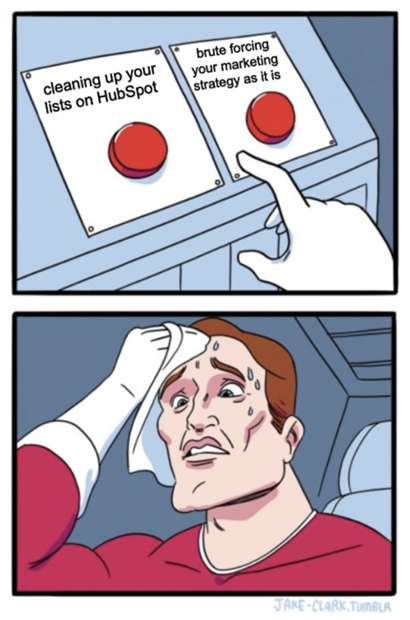
Poor list hygiene doesn’t just make your HubSpot portal look messy. It triggers a slow chain reaction that chips away at every part of your marketing performance.
If you let poor HubSpot list hygiene go unattended for too long, there are a few things that can happen:
1. Your Email Deliverability Can Tank
Every invalid or disengaged contact you send to tells inbox providers that your emails aren’t relevant.
Over time, that damages your sender reputation and gives email services a stronger reason to start flagging your emails. Campaigns might start landing in spam and cause your open rates to fall… even if you’re giving subscribers high-value content.
Usually, HubSpot warns you when your bounce rate creeps up.
But by that point, the damage is done…. and this can be a big problem because rebuilding deliverability usually takes months.
2. Your Reporting Could Become Unreliable
When duplicates and bad data clutter your lists, your reports stop telling the truth.
Lead numbers inflate. Attribution looks skewed. You can’t trust conversion rates or campaign ROI.
Poor list hygiene usually makes the experience a lot more frustrating, ending up with you and your team not knowing if performance issues are real or just the result of dirty data.
3. Your Automation Might Go Haywire
The workflows you and your team set up on HubSpot depend on accurate fields and clean segments.
If job titles, lifecycle stages, or company names are inconsistent, HubSpot can misfire and send the wrong message to the wrong person at the wrong time.
4. Your Sales Team Will Probably Stop Trusting The Data
When your sales reps open contact records and find duplicates, outdated info, or leads that bounce, their confidence in HubSpot can plummet.
In fact, running into the outcomes of poor list hygiene can convince them to start working from spreadsheets instead (or ignoring tasks entirely).
Eventually, having an issue like this hurts CRM adoption.
And, over time, all the reporting accuracy you’re trying to build collapses.

How to Align Your Sales and Marketing Teams Using HubSpot
5. Your ROI Clarity Can Disappear
Dirty data can cloud the connection between marketing activity and revenue, which is probably the complete opposite of what you invested in HubSpot for.
If your HubSpot list hygiene is poor, then you can struggle with proving the impact of your campaigns because the foundation for them (aka your contact lists) is unstable. This means that:
- Executives might start questioning marketing ROI.
- Sales could start blaming lead quality (and go back to manually reaching out to leads one by one).
- Your marketing team can burn hours trying to defend numbers instead of improving them.
When left unchecked, the impact of poor list hygiene may quietly spread across your entire HubSpot system. What starts as a few bad emails can end up eroding campaign performance, team trust, and reporting accuracy.
But the good news is that you can stop all of this from snowballing any further once you know how the damage spreads.
The 5 Warning Signs of Poor HubSpot List Hygiene in Your Portal
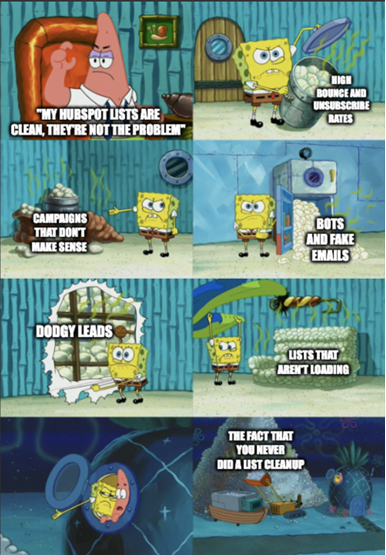
Most marketing teams only realise their database is a mess after a campaign flops.
The reality, however, is that HubSpot rarely breaks overnight: it slips.
Metrics fade a little. Reports stop lining up. Sales begins to grumble. These are the early warnings that your list hygiene is falling apart.
Fortunately, you don’t need to be a data analyst to see when your HubSpot lists are in trouble. All you generally need to do is keep an eye out for these red flags:
1. Your Bounce And Unsubscribe Rates Are Up
If your bounce rate climbs above two per cent or your unsubscribes suddenly spike, that’s your first red flag.
Having poor list hygiene usually means that you still have contacts in your lists who either haven’t been engaging with your emails in the last few months or don’t exist at all.
This doesn’t only mean that you’re wasting credits on bots and people who don’t want to hear from you. It can also tell inbox providers to downgrade your sender score (and hide your emails in the spam folders of actual potential leads who NEED to hear from you).
2. Your Campaign Results Don’t Make Sense
Let’s say that you plan a campaign the same way you always do, but the numbers swing wildly.
That inconsistency is a classic sign of bad data caused by poor list hygiene.
See, duplicate contacts and outdated records can distort open and click rates. This is usually because HubSpot might count a single person twice or show fake engagement from bots.
When that happens, your reports can’t be trusted to give you the right insights… and you could end up spending valuable time double-guessing which data is real and what numbers are fake.
3. Your Sales Team Is Flagging Dodgy Leads
If sales keeps saying, “I’ve already called this contact,” or “That email bounced,” that’s not them nit-picking: it’s a symptom of poor list hygiene.
Duplicate contacts confuse who owns what. Bad emails waste follow-up time.
And when your reps stop trusting the data, they might stop using HubSpot entirely. That’s how good CRMs usually turn into expensive address books.
4. Lists Take Forever To Load
If building or filtering lists in HubSpot feels sluggish, you may have thousands of inactive or duplicate records clogging your database.
HubSpot has to crunch through all that extra unnecessary data every time you build or filter a list.
A clean list, on the other hand, loads fast because it only contains active, up-to-date contacts that actually matter.
5. You’ve Never Done A Clean-Up
If your team can’t remember the last time someone audited contacts or workflows, that’s a warning in itself.
Lists decay naturally because a good number of your contacts will eventually:
- Change jobs.
- Switch emails.
- Opt out.
Healthy databases need regular pruning: quarterly at a minimum, monthly if you’re sending high volumes of email.
Keeping an eye on these signs isn’t just about neat data. It’s about keeping your marketing engine accurate and trustworthy.
Every one of these issues is fixable once you know where to look. And when your lists are clean, HubSpot performs the way it’s supposed to.
Curious about what poor hygiene looks like for the rest of your account? Here’s a guide on how your HubSpot portal can get messy over time.
How to Fix and Maintain A Healthy HubSpot List
Cleaning up HubSpot data doesn’t need to be a full-blown overhaul.
It’s more like tidying a busy workspace: small, regular habits make a bigger difference than one frantic clean-out every few years.
A clean list usually leads to better deliverability, clearer reporting, and less finger-pointing between teams.
Here’s how to get there (and keep it that way):
1. Start With A Data Audit
Think of this as taking inventory. Before you fix anything, you need to see what’s actually inside your database.
Start by running these three simple filters:
- Contacts with bounced emails.
- Contacts who haven’t opened or clicked anything in the last 12 months.
- Contacts with missing key information, like a company or job title.
Once you see what’s outdated or incomplete, you can make smarter decisions like choosing who to keep, who to update, and who to remove.
The goal isn’t a perfect list overnight. It’s a smaller, more accurate one that reflects the people who actually want to hear from you.
Here’s a reel from Tasha, our HubSpot Lead, on how you can do a smoother data audit with the Lists feature:
2. Merge Duplicates Before They Multiply
Duplicate records waste everyone’s time. They make it look like you have more leads than you really do, and they confuse sales when two records exist for the same person.
HubSpot’s duplicate tool can help find these automatically, but it’s best that you always double-check before merging. You’ll want to keep the version with the most recent or complete data to avoid losing any progress.
Cleaning duplicates protects reporting accuracy and keeps communication threads tidy.
3. Re-Engage, Then Remove
Inactive contacts drag down your deliverability. Email providers notice when lots of people ignore your messages, and they start sending more of your campaigns to spam.
Before cutting them loose, send a short re-engagement email. Ask if they still want to stay on your list; think of something like: “Still want updates like this?”
Those who respond are worth keeping. The rest? Let them go.
A smaller, active list will outperform a huge, quiet one every time.
4. Standardise How Data Is Entered
Most bad data starts with humans. One person types “CEO,” another writes “Chief Executive Officer,” and soon your lists split into mismatched groups.
Use dropdown menus or standard fields so everyone enters information the same way. The fewer free-text boxes, the better.
When data looks consistent, your filters, segments, and reports all behave as expected with no hidden gaps or weird duplicates sneaking in.
5. Build Hygiene Into Your Habits
Treat data clean-up like brushing your teeth: doing at least the bare minimum every day beats a painful fix later.
Set reminders to review your lists quarterly. Add small safety nets in HubSpot (like automatically tagging contacts who haven’t opened an email in six months) so you can review them.
The point is to make hygiene part of your regular process, not a panic task when performance drops.
6. Know When To Bring In Fresh Eyes
If your database has grown for years without structure, there’s no shame in getting outside help.
Someone who lives and breathes HubSpot can spot the subtle things: duplicate company records, half-built workflows, and conflicting fields that create chaos behind the scenes.
An expert audit clears the fog and gives you a roadmap to keep things clean going forward so you can focus on strategy, not spreadsheet triage.

Best HubSpot Agencies in Sydney
Good data sharpens every campaign you send, every report you trust, and every conversation sales has with a lead. This usually translates to better campaign performance, higher open and click-through rates, and more conversions.
The Payoff: Cleaner Data = Faster Growth
If you’ve read this far, then you probably already know poor list hygiene isn’t just a background nuisance anymore.
It’s a quiet tax on every email you send, every report you pull, and every lead you chase.
But here’s the good news: it’s one of the fastest things you can fix to see a clear jump in ROI.
The moment you start trimming dead contacts and merging duplicates, deliverability climbs.
Your email performance steadies. Reports start to make sense again. Sales and marketing finally work from the same truth.
The longer bad data sits in your HubSpot portal, the more it costs you in wasted sends, skewed metrics, and missed opportunities. Every day you delay, the weeds grow deeper.
So, start small: run one audit this week just for your bounced or unengaged contacts. Watch how fast clarity returns once the clutter’s gone.
From there, make list hygiene a standing habit.
HubSpot is built to scale your marketing, but it can only do that on a clean foundation.
Protect that foundation, and the growth you’ve been chasing gets a lot easier to see.
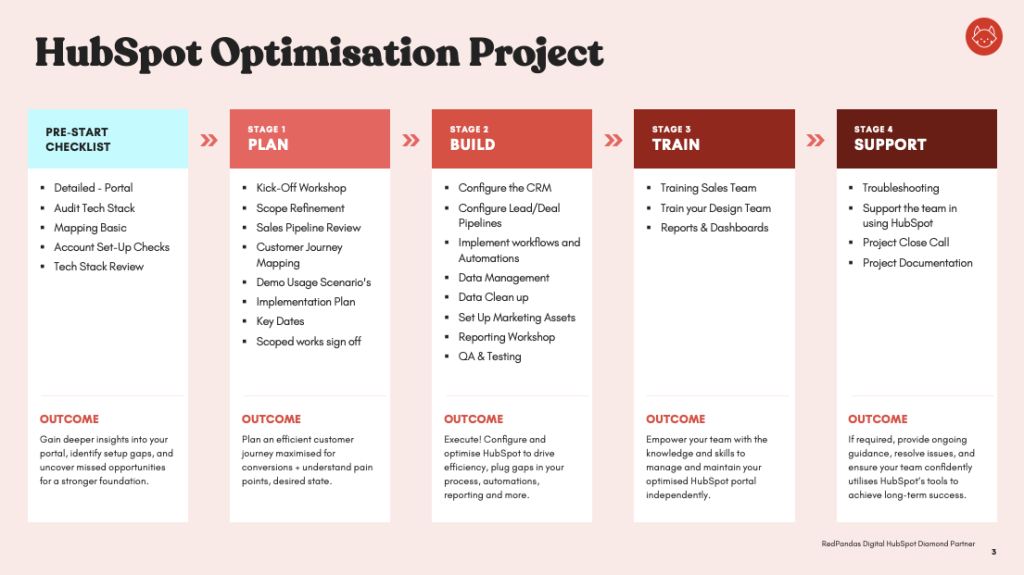
HubSpot Optimisations Package