








HubSpot vs. Pipedrive: Which is Better for Growing Teams in 2026?

Key Takeaways
- Scope: HubSpot is a connected customer platform with Marketing, Sales, Service, Content, Data, and Revenue Hubs. Pipedrive is a sales-first pipeline CRM
- Entry cost: Pipedrive starts at AUD $19 per seat a month billed annually. HubSpot Sales Hub Starter starts at AUD $31 per seat. Both exclude GST
- Cost drivers: HubSpot costs rise with hubs, tiers, and marketing contacts. Pipedrive costs rise with seats, plan upgrades, and add-ons
- AI: Both offer agentic AI in 2026, HubSpot through Breeze and Agent Hub, and Pipedrive through Pipedrive AI
- Data hosting: Both run Sydney data centres for Australian customer data
- Using both: A HubSpot Certified App syncs the two platforms both ways, which suits a staged migration
Quick Answer
HubSpot is the better CRM for Australian teams that want marketing, sales, and reporting in one connected platform. Pipedrive is the better CRM for sales-led teams that need a simple, visual pipeline reps adopt fast, from AUD $19 per seat a month.
If inbound marketing and revenue attribution will matter within 12 to 18 months, start with HubSpot.
Weighing up HubSpot as your next CRM? RedPandas’ HubSpot experts can map your sales process against both platforms before you commit.
Get in touch through the link below to book a free HubSpot consultation:


Get Your Free HubSpot Consultation With RedPandas
Choosing a CRM shouldn’t feel like a high-stakes gamble… But right now, it probably does.
You’re growing: leads are coming in, sales conversations are happening, spreadsheets are starting to break.
And you know you need a proper system before things get messy.
Now you’re staring at two big names: HubSpot vs Pipedrive. One promises an all-in-one growth platform. The other promises a simple, sales-focused CRM.
But which is a better investment for your team?
Both look convincing. Both say they’ll help you scale. And both come with very different long-term implications.
But the problem here isn’t picking a CRM… It’s picking the wrong one and realising 12 months from now that you’ve either outgrown it… or overbought it.
This decision will shape how your team tracks deals, measures marketing impact, manages contacts, automates follow-up, and reports revenue.
In this article, you’ll get a clear, side-by-side comparison of HubSpot and Pipedrive in 2026 so you can confidently choose the CRM that supports growth from day one.
HubSpot vs Pipedrive: Side-by-Side Comparison (2026)
Here is how the two CRMs compare for a growing Australian team. Prices are AUD list prices before GST, checked September 2026:
| Category | HubSpot | Pipedrive | What It Means for You |
| Best for | Teams aligning marketing, sales, and service | Sales-led teams focused on pipeline discipline | Match the tool to your next bottleneck |
| AUD pricing (per seat/month) | Free CRM; Sales Hub Starter $31; Professional $140 to $155 plus $2,160 onboarding | Lite $19; Growth $49; Premium $79; Ultimate $109 (billed annually) | Pipedrive is cheaper to start; HubSpot climbs faster per tier |
| CRM data model | Smart CRM links contacts, companies, deals, tickets, and lifecycle stages | Deal-centric, with people and organisations linked to pipelines | HubSpot supports cross-team reporting |
| Ease of use and setup | Broader navigation across hubs; more upfront setup | Visual drag-and-drop pipeline; fast to configure | Pipedrive wins on day-one rep adoption |
| Marketing automation | Native email, workflows, forms, landing pages, and lead scoring | Limited natively; email via Campaigns add-on, forms and chat via LeadBooster | HubSpot suits marketing-led growth |
| AI (2026) | Breeze AI across hubs; Agent Hub agents on Professional and Enterprise | Pipedrive AI for deal insights, email drafting, and agentic email support | HubSpot’s AI spans the full funnel |
| Reporting and attribution | Multi-touch attribution from first touch to closed revenue (higher tiers) | Sales dashboards, forecasting, and activity reports | HubSpot answers “what drove this revenue?” |
| Integrations | 1,500+ apps in the HubSpot App Marketplace | Pipedrive Marketplace plus strong API and Zapier support | Both connect well to common tools |
| Australian considerations | Sydney data centre since February 2024 | Sydney AWS region among seven hosting regions | Both can keep Australian data onshore; confirm your account’s region |

Is HubSpot Right for My Business? Here’s How to Tell
Additional Decision Table for HubSpot vs. Pipedrive
| If Your Main Concern Is… | HubSpot Tends to Win | Pipedrive Tends to Win |
| “We need marketing and sales working from the same data.” | ✔ | |
| “We need better pipeline discipline right now.” | ✔ | |
| “We want full-funnel revenue visibility.” | ✔ | |
| “We want something the team adopts immediately.” | ✔ | |
| “We plan to scale marketing sophistication.” | ✔ | |
| “We mainly need a sales execution engine.” | ✔ |
Adoption still decides whether either one pays off. Most CRM rollouts stall on people and process, so plan training and ownership before launch. This guide on why most businesses struggle with CRM adoption covers the common traps.
Still weighing other options? This comparison of the best sales tracking software for Australian businesses covers more CRMs beyond HubSpot and Pipedrive.

5 HubSpot Features You Can Use to Get More Sales | Episode 187
What Is HubSpot? (Updated for 2026)
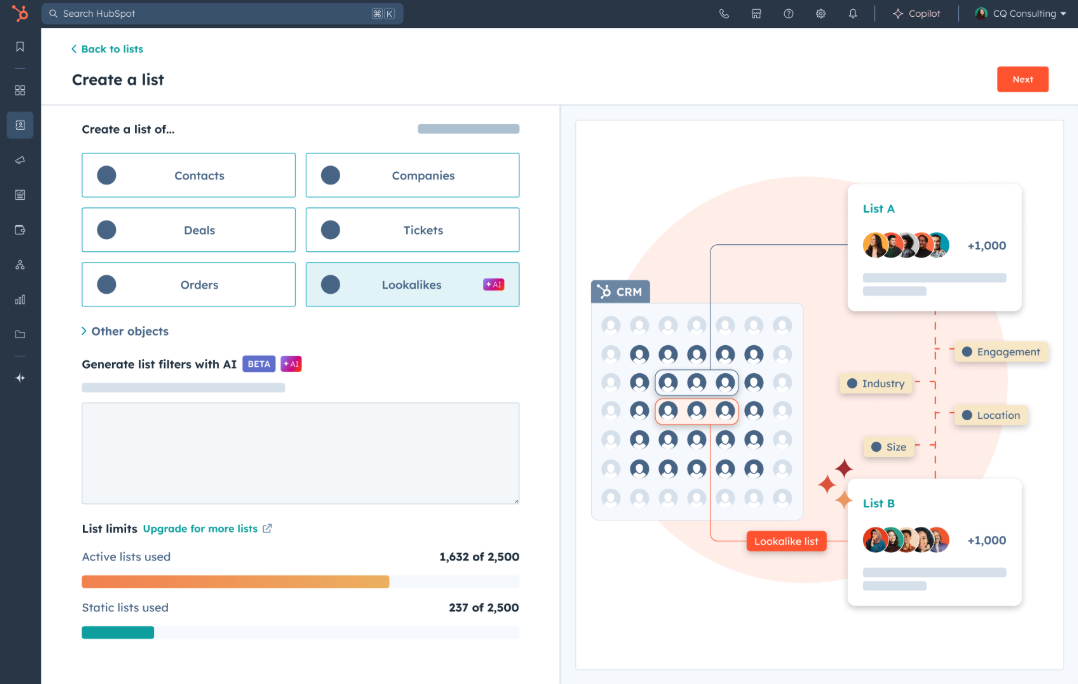
HubSpot is a unified customer platform built on one shared database, the Smart CRM.
Contacts, companies, deals, tickets, and lifecycle stages all live there. You add Hubs on top as your needs grow:
- Marketing Hub: email, workflows, forms, landing pages, and lead scoring
- Sales Hub: sequences, meeting links, forecasting, and deal automation
- Service Hub: tickets, help desk, and customer feedback
- Content Hub: website pages, blogs, and AI content tools
- Data Hub (formerly Operations Hub): data sync, cleanup, and quality tools
- Revenue Hub (formerly Commerce Hub): quotes, invoices, and payments
The payoff is connected reporting.
Because marketing and sales share one record, HubSpot can trace a closed deal back to the campaign that created it.
The trade-off is structure and cost.
Each Hub has its own tiers, and Marketing Hub pricing scales with marketing contacts. Custom reports, advanced automation, and multi-touch attribution sit in Professional and Enterprise.
For a full breakdown, see this complete 2026 overview of HubSpot’s main features.

5 Benefits of Using HubSpot to Grow Your Business
What Is Pipedrive? (Updated for 2026)
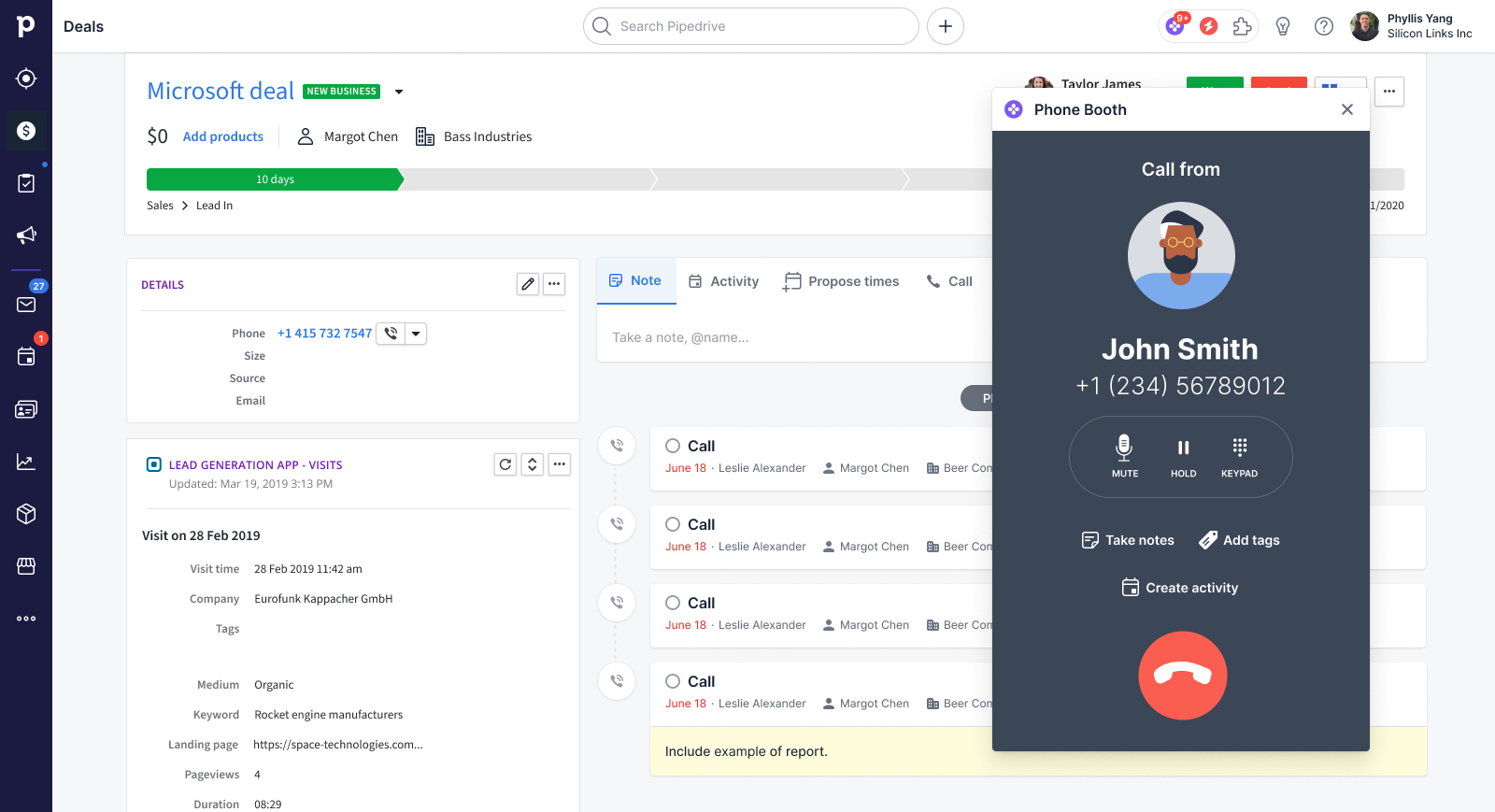
Pipedrive is a sales-first CRM built around one idea: visual pipeline management. Reps log in to a board of deals by stage and drag each one forward.
- Deals are central: every view starts from open opportunities and their next step.
- Activities drive action: calls, emails, and meetings attach to every deal, and reminders flag follow-ups.
- Managers see stalls fast: idle deals and overloaded reps stand out on the board.
Adoption is its biggest strength. If your main worry is “will my team actually keep this updated?”, Pipedrive is designed to keep friction low.
Marketing sits outside the core plan. Email campaigns need the Campaigns add-on. Web forms, live chat, and chatbots need LeadBooster. Teams that rely on nurture sequences and lifecycle reporting usually end up integrating a second tool.

5 Mistakes B2B and Industrial Businesses Often Make When Choosing a CRM
HubSpot vs Pipedrive Pricing in Australia: What a 5-Person Team Pays
Pipedrive is cheaper in year one for a pure sales team. HubSpot’s cost gap narrows once you count the marketing tools Pipedrive charges for separately.
Here is what five sales seats cost on annual billing, in AUD before GST:
| Plan | Monthly cost (5 seats) | Year-one cost | Notes |
| Pipedrive Lite | $95 | $1,140 | Basic pipeline and reporting |
| Pipedrive Growth | $245 | $2,940 | Mid tier for growing teams |
| Pipedrive Premium | $395 | $4,740 | Adds AI-powered email tools and Smart Docs |
| HubSpot Sales Hub Starter | $155 | $1,860 | Sequences, meetings, and basic automation |
| HubSpot Sales Hub Professional | $700 | $10,560 | Includes the one-off $2,160 onboarding fee |
Add-ons change the Pipedrive maths. Campaigns, LeadBooster, Projects, and Smart Docs are each priced separately, so check them against your plan before you commit.
Marketing contacts change the HubSpot maths. Marketing Hub Professional starts at AUD $1,241 a month billed annually, with three core seats and 2,000 marketing contacts included, plus a one-off AUD $4,320 onboarding fee.
Add 10 per cent GST to every figure above. List prices change often, so confirm currency and current rates in your quote.
Automation + AI: What Actually Moves the Needle for Your Team
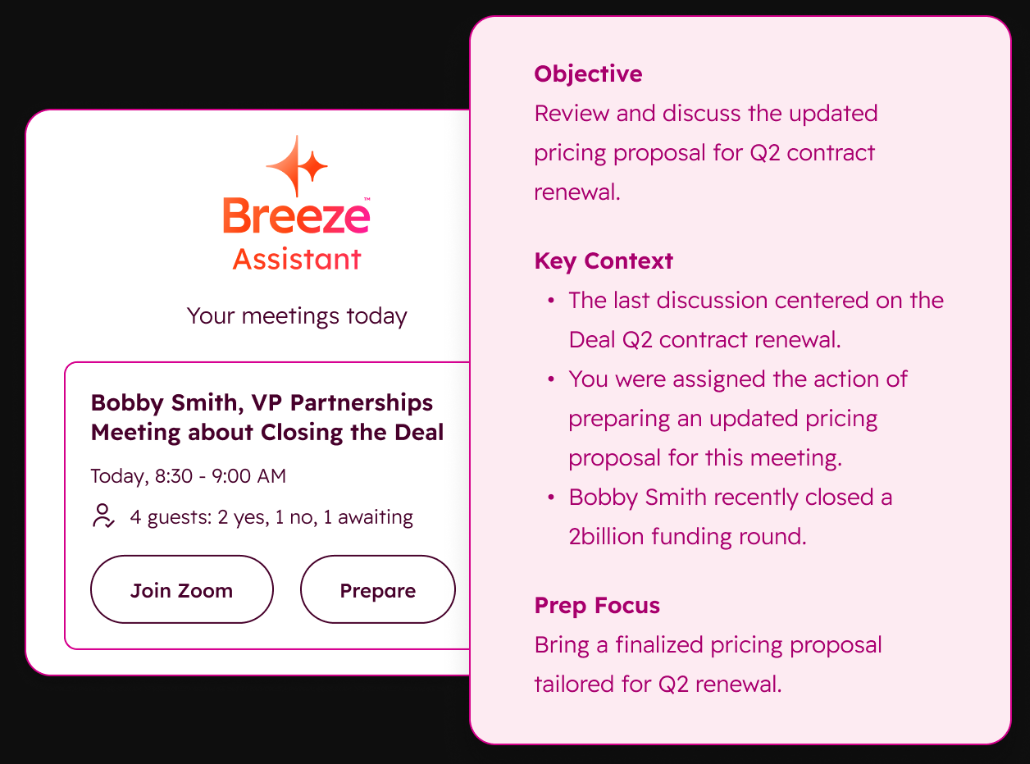
An example of HubSpot’s internal AI solution, Breeze AI, in action.
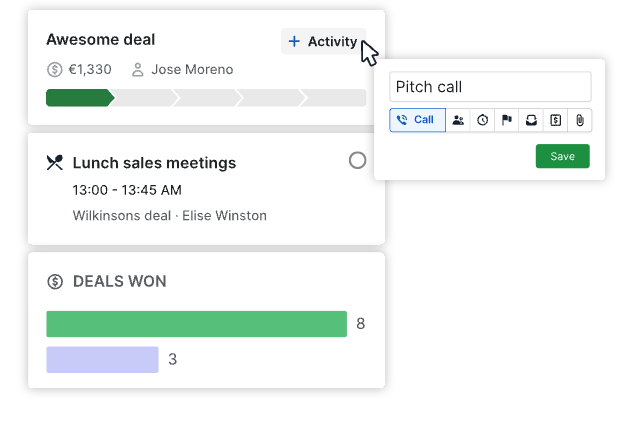
An example of Pipedrive’s internal AI solution, AI Sales Assistant, in action.
Both platforms now offer agentic AI. The difference is where that AI sits and what data it can see.
| Category | HubSpot (Breeze and Agent Hub) | Pipedrive AI |
| Scope | Marketing, sales, and service | Sales pipeline and activities |
| Everyday assistance | Breeze Assistant drafts emails, summarises records, and builds content | Suggests next actions, summarises emails, and drafts outreach |
| AI agents | Agent Hub (public beta from 23 July 2026) on Professional and Enterprise | Agentic email support, announced February 2025 |
| Data the AI uses | Full CRM: marketing touches, deals, and tickets | Deals, activities, and pipeline performance |
| Billing | Tier-based, with some agents on credits or per-outcome pricing | Varies by plan |
| Best for | Coordinating the full customer journey | Helping reps close more consistently |
HubSpot automation runs across teams. One workflow can score a lead, update its lifecycle stage, assign an owner, and create a sales task. Agents then extend that reach; Customer Agent, for example, costs roughly AUD $0.70 per resolved conversation.
Pipedrive automation runs inside the pipeline. Triggers fire on deal stages and activities. Pipedrive flags idle deals and nudges reps to follow up, which protects momentum without extra setup.
Pick the AI that sits on your bottleneck. If deals stall between marketing and sales, HubSpot’s cross-team AI fits. If deals stall inside the pipeline, Pipedrive’s focused AI is enough.
HubSpot and Pipedrive CRM Integration: Using Both or Migrating
You can run both platforms side by side. HubSpot’s certified Pipedrive app offers real-time two-way sync. It maps:
- People to HubSpot contacts
- Organisations to companies
- Deals and products to their HubSpot equivalents
- Custom activities to engagements: requires Data Hub Starter or higher
Running both suits a staged move. Sales keeps working in Pipedrive while marketing builds campaigns in HubSpot. The catch is two subscriptions, two sets of data, and reporting gaps between them.
Most teams consolidate once attribution matters. A full migration from Pipedrive to HubSpot needs data cleanup, pipeline mapping, and rebuilt automations. Plan for several weeks, and budget for HubSpot’s mandatory Professional onboarding.
If you are moving across, a partner-led setup shortens the learning curve. This guide to the best HubSpot onboarding services compared for 2026 explains what to look for.
Frequently Asked Questions: HubSpot vs Pipedrive
Which is better: HubSpot or Pipedrive?
Looking at HubSpot vs. Pipedrive depends on your growth goals. Choose HubSpot if you want marketing, sales, and reporting in one connected platform. Choose Pipedrive if you want a simple, sales-focused CRM with fast adoption and clear pipeline management. HubSpot is broader. Pipedrive is more sales-centric.
Is HubSpot more expensive than Pipedrive?
In most cases, yes… Especially as you scale. HubSpot pricing increases based on seats, hub tiers, and (for marketing) the number of marketing contacts. Pipedrive pricing is primarily per user, with optional add-ons like LeadBooster. HubSpot can become more expensive long-term, particularly if your contact database grows quickly.
Is Pipedrive good for marketing automation?
Pipedrive is primarily a sales CRM. It offers automation for sales workflows and optional add-ons, but it is not a full marketing automation platform. If marketing automation and lead nurturing are central to your strategy, HubSpot is typically the stronger option.
Is HubSpot too complex for small or growing teams?
Not necessarily. HubSpot offers free and Starter tiers that are accessible for smaller teams. However, as you add advanced reporting, automation, or multiple hubs, complexity and cost can increase. It works well for growing teams, but you should plan your tier carefully.
Does Pipedrive have AI features?
Yes. Pipedrive includes an AI Sales Assistant designed to highlight deal risks, recommend next actions, and improve pipeline visibility. Its AI is focused on improving sales execution rather than managing full-funnel marketing and service workflows.
Does HubSpot include AI?
Yes. HubSpot includes AI tools under its Breeze suite, designed to assist with content creation, automation, sales productivity, and data insights across the platform. Some advanced AI capabilities may depend on your subscription tier or usage model.
Which CRM is easier for sales teams to adopt?
In most comparisons of HubSpot vs Pipedrive, Pipedrive is considered easier for immediate sales adoption due to its simple, visual pipeline design. HubSpot is also user-friendly but includes broader functionality, which can make it feel more complex depending on your setup.
Which is better for scaling a team: HubSpot or Pipedrive?
If you plan to scale across marketing, sales, and service with unified reporting, HubSpot is often better for long-term scaling. If your growth is sales-led and your focus is on pipeline management, Pipedrive can scale effectively without adding unnecessary complexity.
Can you migrate from Pipedrive to HubSpot later?
Yes. Many growing teams start with Pipedrive and later migrate to HubSpot when they need stronger marketing automation and cross-team reporting. However, migration requires planning, data cleanup, and implementation time, so choosing strategically from the start can save cost and disruption.
What is the main difference between HubSpot and Pipedrive?
The main difference in HubSpot vs Pipedrive is scope. HubSpot is a connected customer platform that includes CRM, marketing, automation, and service tools. Pipedrive is a sales-focused CRM designed primarily to manage pipelines and close deals efficiently.
HubSpot vs. Pipedrive: Which One Should You Choose?
Why does this decision actually matter right now?
Because the CRM you choose will quietly shape how your team operates for the next 2–5 years.
It will determine:
- How clearly you see revenue
- How aligned marketing and sales become
- How easy it is to hire and onboard
- How painful or painless reporting feels every month
- How much manual work creeps into your process as you grow
And here’s the uncomfortable bit most teams don’t talk about: The longer you wait to choose intentionally, the more likely you are to choose reactively.
You’ll probably pick something because:
- It’s on discount
- Someone recommended it casually
- It “looks fine”
- You’re just tired of evaluating
That’s when costly migrations happen later.
At the end of the day, it helps to choose the system that supports the way you want to grow, not just the way you operate today.
If you’re building a connected revenue engine and want marketing, sales, and reporting to work from one source of truth, HubSpot makes more strategic sense long term.
If you’re building a high-performance sales team and need immediate pipeline clarity and adoption, Pipedrive is often the sharper starting point.
Neither is “better” in isolation.
One is better for the future you’re building.
From here, you can start with three key steps:
- Map your current sales process.
- Write down how you expect your team to grow in the next 12 to 18 months.
- Be honest about whether marketing automation and attribution will become critical soon.
Then book demos with both platforms, but go in with those answers already clear. Ask them to show you how your workflow would look inside their system.
If you want help pressure-testing that decision before you commit to contracts, tiers, and migrations, that’s exactly the kind of growth conversation we have every day at RedPandas.
Get in touch with us today and schedule a free consultation with one of our growth specialists to see which option is better suited for your needs and gain actionable insights to grow your business… Regardless if you work with us or not.

6 Benefits Of Onboarding with a HubSpot Partner (Instead of HubSpot’s In-House Onboarding)
About the Author




Get the best content marketing insights right in your inbox!
Subscribe to our Newsletter and get marketing insights delivered to your inbox every week.