









Could One of These 8 HubSpot Integrations Mistakes Be Corrupting Your Data?

Key Takeaways
Here’s the short version, if you’re skimming before you commit to fixing anything.
- Most HubSpot integrations problems trace back to eight root causes: wrong sync direction, dirty data, no testing, overly broad permissions, field mapping mismatches, workflow loops, API rate limits, and no clear integration owner
- Check that field values, not just field names, match exactly between HubSpot and the other system before mapping them
- Watch your API usage if you’re syncing large data sets. Even Enterprise accounts cap out at 190 requests per 10 seconds by default
- Sync fields like lifecycle stage, deal stage and record owner in one direction only, from whichever system is your source of truth.
- Clean up duplicate contacts before connecting a new tool, not after. HubSpot only auto-merges records with an exact matching email address
- Grant each integration the minimum permissions it needs to function, not full account access
- Test new HubSpot integrations in a sandbox if you’re on an Enterprise-tier hub, or on a small, clearly labelled group of records if you’re not
- Turn off re-enrolment on new workflows while testing, so synced data changes don’t trigger repeated re-enrolment loops
- Use native integrations for standard tools, middleware like Zapier for the long tail of apps without a native connector, and a custom API build only when volume or complexity genuinely justifies developer cost
- Assign one named owner for each integration, responsible for checking logs and updating field mappings as either system changes
Most HubSpot integrations promise to connect your CRM to the rest of your tech stack in a few clicks.
So, you connect Xero, or Zapier, or your ad platform… And then something quietly breaks.
Maybe it’s duplicate contacts flooding in overnight, or a workflow starts firing on records it should never touch.
Maybe a field that used to sync perfectly just stops, and nobody notices until a report looks wrong.
If you’ve been experiencing the same problems, chances are that you could be making one of eight common HubSpot integrations mistakes.
See, HubSpot integrations fail in the same handful of ways time and time again.
And most of them trace back to decisions made in the first ten minutes of setup.
As a HubSpot Diamond Partner, RedPandas Digital has spent years fixing messes like these for clients:
- Duplicate records
- Broken syncs
- Workflows gone rogue
In this article, you’ll learn what actually goes wrong, and how to stop every mistake before it costs you data you can’t easily undo.
Quick Answer
Most HubSpot integrations problems trace back to eight fixable habits, but three cause the most damage early on:
- Syncing sensitive fields in both directions
- Connecting dirty data before cleaning it up
- Skipping any kind of testing before going live
Fix those three first, then work through permissions, field mapping, workflow loops, API limits and integration ownership.
Get all eight right and you’ll avoid most HubSpot integration problems businesses run into.
If you want a faster read on where your own portal stands, RedPandas built a free HubSpot Health Check. It’s a ten-question, two-minute assessment that scores your portal out of 100 across the areas covered in this article, including:
- Data hygiene
- Workflows
- Attribution
The HubSpot Health Check Quiz flags where to look first, and you can book a free session afterwards to walk through the results. Try it out here:


Take Your Free HubSpot Health Check Quiz Here
What Are HubSpot Integrations?
HubSpot integrations connect your HubSpot account to other software you use, like Xero, Zapier, Slack, or your ad platforms.
They let data move automatically between systems, so a new lead, invoice or support ticket updates in HubSpot without anyone re-typing it.
There are three broad types:
- Native integrations are pre-built apps listed in HubSpot’s own marketplace, installed through a simple authorisation step
- Private apps and custom API connections are built specifically for your business, usually by a developer, when you need more control than a marketplace app offers
- Middleware tools like Zapier or Make sit between HubSpot and another system, handling the connection when no native option exists
Most businesses end up running a mix of all three types of HubSpot integrations at once, which looks like:
- A handful of native apps for everyday tools
- One or two middleware connections for anything niche
- Occasionally, a custom build for something business-critical
That mix is normal, but careful configuration matters.
8 Common Mistakes When Configuring HubSpot Integrations
Once you get past sync direction and dirty data, most problems with HubSpot integrations live in five places. Here’s what to check before you flip an integration live.
HubSpot integrations usually fail because of decisions made before you even switch the integration on. Here are the eight ways most setups go wrong, and how to fix each one:
Mistake #1: Connecting Dirty or Duplicate Data

Most businesses connect a new tool to HubSpot while their existing data is still messy.
Duplicate contacts, outdated lifecycle stages and inconsistent naming get pulled straight into the new system, then multiplied across both platforms.
HubSpot automatically merges exact-match duplicates, but a typo like jon@company.com instead of john@company.com is enough to create a fresh record instead of catching one.
Clean up your data before you connect to anything new, not after.
Mistake #2: Syncing Sensitive Fields in Both Directions

Fields like lifecycle stage, deal stage and record owner should usually only sync one way.
When two systems are both allowed to update the same field, they start overwriting each other, and your reporting quietly stops matching reality.
Pick one system as the source of truth for each field and only let data flow from there.
Mistake #3: Skipping Testing Before Going Live

HubSpot’s sandbox accounts exist specifically so you can test a new integration, workflow or mapping without touching live customer data. But sandboxes are only included on Enterprise-tier hubs.
If you’re on a lower tier, testing on a small, clearly labelled group of records before rolling changes out can achieve a similar result and protect your HubSpot integrations from failing quietly.
Mistake #4: Granting Your HubSpot Integration Too Many Permissions

When you set up a private app or connect a new tool, HubSpot asks which scopes it can access.
It’s tempting to tick everything so you never hit a permissions error later… But you shouldn’t.
HubSpot’s own guidance recommends giving each app only the specific scopes it needs to do its job, not blanket access to your whole account.
A tool that only needs to read contact emails shouldn’t also have permission to delete deals. If that integration is ever compromised or misconfigured, narrow scopes limit the damage.
It’s also worth understanding how HubSpot securely stores your data.
Mistake #5: Field Mapping Mismatches Between Systems

Two systems rarely store the same information the same way.
A dropdown field for “Industry” in your accounting software might use different options from the one in HubSpot.
When the values don’t match exactly, the sync either fails silently or overwrites a clean value with a blank one.
Before you map any field, check the exact values on both sides, not just the field names.
If you’re unsure how a property is structured, see our guide to setting up a contact property in HubSpot before you map it.
Mistake #6: Workflow Loops Caused by Synced HubSpot Data
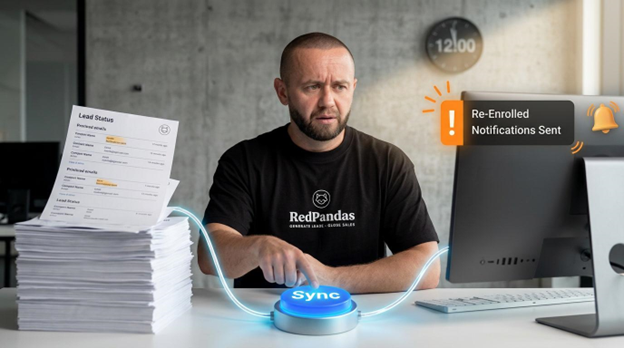
If a workflow enrols contacts whenever their lead status changes, and your integration updates lead status every time it syncs, you’ve built a loop.
The workflow keeps re-enrolling the same records, sometimes firing emails or notifications repeatedly.
Turn off re-enrolment on new workflows while you’re testing an integration, then add a filter such as “contact was last enrolled more than X days ago” before switching re-enrolment back on.
This single setting prevents most of the runaway loops integrations cause.
Mistake #7: Hitting HubSpot’s API Rate Limits Without Realising It

Every HubSpot account has a limit on how many API calls an app can make.
On Free and Starter, that’s 100 requests every 10 seconds. Professional and Enterprise raise it to 190, with daily caps ranging from 250,000 to 1,000,000 calls depending on your tier.
Sync tools that process large data sets can hit these limits fast, causing records to update late or not at all.
If your integration handles a lot of data, check whether it queues and retries automatically, or whether you need to purchase a rate limit increase.
Mistake #8: No Clear Owner for Your HubSpot Integrations

The most common pitfall isn’t technical at all. It’s that nobody owns the integration once it’s live.
Assign one person to:
- Check integration logs
- Review failed syncs
- Update mappings when either system changes
Without an owner, small errors sit unnoticed until they’ve affected months of data.
If you don’t have anyone internally who can take this on, RedPandas’ HubSpot optimisation package covers it.

How to Set Up HubSpot Workflows
Native HubSpot Integrations vs. Middleware Tools Like Zapier
Not every connection to HubSpot needs the same approach.
Picking the wrong one is its own common pitfall, usually because a business defaults to whichever option they’ve heard of first.
Here’s a quick rundown of every option you have:
| Type | Best for | Typical cost | AU consideration |
| Native integration | Standard, well-supported tools like Slack, Stripe or Salesforce | Usually free, included with your HubSpot subscription | Data still runs through the vendor’s own servers, so check their data handling terms |
| Middleware (Zapier, Make) | Niche apps without a native connector, or simple automations | From about AUD $28/month for Zapier’s Professional plan, up to roughly AUD $97/month for Team | Billed in USD by default; ask your bookkeeper how to record the FX movement |
| Custom API build | High-volume syncing, legacy systems, or workflows unique to your business | Roughly AUD $21,000 to AUD $211,000 as a one-off build, based on industry estimates | Needs a developer who knows HubSpot’s API; budget for ongoing maintenance too |
If the tool you’re connecting has a listed app in HubSpot’s marketplace, start there.
Native integrations deploy through a simple authorisation step, get maintained by the vendor, and won’t add a separate monthly bill.
But the tradeoff with this approach is fixed field mapping: you get what the vendor built, not a custom setup.
When You Need Middleware or a Custom Build
Reach for middleware when the tool you need isn’t natively supported, or when you need light logic between systems, like only sending a Slack message when a deal crosses a certain value.
Zapier’s free plan caps out at 100 tasks a month, which is fine for testing but tight for daily use across a real business.
Move to a custom build only when the volume, complexity, or sensitivity of the data justifies developer time.
Most HubSpot integrations for small and mid-sized businesses never need to go this far.
And if you’re curious about what a custom HubSpot integrations job can do for your business, check out this case study:

How We Helped Grasshopper Environmental Save 140+ Hours Monthly
How RedPandas Approaches HubSpot Integrations Audits
As a HubSpot Diamond Partner, RedPandas Digital sits inside the second-highest tier of HubSpot’s partner programme, awarded on client results and platform expertise rather than years in business alone.
When RedPandas walks into a broken HubSpot integrations setup, the process starts the same way every time:
- Pull every connected app
- Check what each one is actually allowed to touch
- Compare that against what the business believes is happening, because those two things rarely match
A pattern RedPandas sees often during these audits: a Xero or accounting connection quietly set to sync “Lifecycle stage” in both directions, overwriting the value HubSpot set only minutes earlier.
Nobody configured it that way on purpose, but it’s just never been switched off.
That’s the pattern behind most HubSpot integrations problems.
A handful of small, unreviewed settings compound quietly over months until something breaks in public, like a report that no longer matches reality or a workflow that fires on the wrong contacts.
Frequently Asked Questions About HubSpot Integrations
What are the most common HubSpot integrations mistakes?
The most common mistakes are syncing sensitive fields like lifecycle stage in both directions, connecting a new tool before cleaning up existing duplicate data, and skipping testing before an integration goes live. Granting an integration broader permissions than it needs and building workflows that re-enrol contacts every time synced data changes round out the list.
How do I fix duplicate contacts caused by an integration?
Start with HubSpot’s built-in “Manage duplicates” tool, found under Data Management > Data Quality, which compares contact and company records daily and flags likely duplicates for you to merge. It won’t catch every case on its own, particularly when an integration creates records with slightly different email formats. After merging, check the integration’s mapping to stop it creating new duplicates.
Should I sync fields like lifecycle stage in both directions?
No. Fields like lifecycle stage, deal stage and record owner should generally sync in one direction only, from whichever system is the source of truth. Allowing two systems to update the same field creates conflicting values and breaks your reporting over time.
Can I test a HubSpot integration before it goes live?
Yes, if you’re on an Enterprise-tier hub, HubSpot’s sandbox accounts let you test new integrations, workflows and mappings without touching live customer data. On lower tiers, testing on a small, clearly labelled group of records achieves a similar result before you roll changes out to your whole database.
What’s the difference between HubSpot’s native integrations and Zapier?
Native integrations connect through HubSpot’s own App Marketplace, deploy quickly, and are maintained by the app’s vendor, usually at no extra cost. Zapier and similar middleware tools connect apps without a native listing, offer more flexibility, but charge based on how many tasks you run each month.
Do I need a developer to set up HubSpot integrations?
Not for most native integrations, which install through a simple authorisation step inside your HubSpot account. You’ll typically need developer help for custom API builds involving high data volumes, legacy systems, or logic that middleware tools can’t handle.
How do I know if my HubSpot integrations are configured correctly?
Check your integration logs regularly for failed syncs or authentication errors, and audit field mappings whenever either connected system changes. Tools like RedPandas’ free HubSpot Health Check can also flag configuration issues across data hygiene, workflows and attribution in about two minutes.
Who should be responsible for maintaining HubSpot integrations?
One named person should own each integration, responsible for reviewing sync logs, updating mappings, and flagging errors before they spread. Without a clear owner, small integration errors tend to go unnoticed until they’ve affected months of data.
Keep Your HubSpot Integrations Running Smoothly
None of this requires rebuilding your CRM.
Fixing your HubSpot integrations usually comes down to a handful of settings:
- Sync direction
- Field mapping
- Permissions
- Workflow triggers
- Figuring out who’s actually watching for errors
Get those right once, and most of the pitfalls covered here won’t come back.
For more on connecting the rest of your stack, see:
- RedPandas’ guide to the best HubSpot integrations for Australian businesses
- The breakdown of SMS marketing integrations for HubSpot
- If you’re still weighing up platforms altogether, the comparison of HubSpot vs ActiveCampaign, Zoho, Pipedrive and Salesforce
About the Author
This article was written by the team at RedPandas Digital, a HubSpot Diamond Solutions Partner based in Sydney, Australia. RedPandas is one of a small number of agencies accredited under HubSpot’s Partnered Scale Onboarding program, and has delivered results including a 49.8% revenue increase and 378% lead growth within five months for an Australian client.
About the Author




Get the best content marketing insights right in your inbox!
Subscribe to our Newsletter and get marketing insights delivered to your inbox every week.