









What Are the 7 Best HubSpot Integrations for Australian Businesses?

Key Takeaways
- HubSpot integrations connect your CRM to the ad platforms, accounting software, and communication tools your marketing, sales, and finance teams already use, closing the gaps that cause missed leads and slow reporting
- The HubSpot App Marketplace has 1,700+ apps, though most Australian businesses only need a handful of these HubSpot integrations to fix their actual bottlenecks
- Google Ads and LinkedIn Ads sync leads directly into HubSpot, though audience syncing, conversion events, and native Lead Gen Form sync require Marketing Hub Professional or Enterprise
- Xero syncs contacts globally, with full invoice and payment sync available specifically for AU, NZ, and UK accounts. MYOB has no equivalent native connector, so most businesses use a certified third-party app or a custom build
- Slack turns HubSpot activity into real-time alerts your sales team can act on without opening the CRM
- Zapier is free within HubSpot and connects to over 1,400 apps, covering gaps that native integrations leave behind
- Choosing the right combination of HubSpot integrations starts with your biggest bottleneck, whether that’s lead capture, sales alignment, or reporting, followed by checking tier requirements before matching each need to native, Zapier, or a custom build
HubSpot integrations are what make your CRM stop working in isolation and start working with the rest of your stack. The platform’s App Marketplace has 1,700+ apps, with new additions and improvements happening daily.
That part is straightforward.
But picking the integrations that actually help improve day-to-day operations is where most Australian businesses get stuck.
So, which HubSpot integrations can help your business work better?
As a HubSpot Diamond Partner, RedPandas Digital has connected integrations for Australian clients, including Bupa and Empire Legal. That experience means the region-specific quirks are already mapped, like Xero’s invoice sync only working fully for AU and NZ accounts.
In this article, you’ll learn about the HubSpot integrations that we can vouch for based on real client experiences, how they help improve your operations, and what to do if you need more customised integrations.
By the end of the article, you’ll know how much each one costs, what it actually does, and how to pick the right fit for your business.
Quick Answer
The best HubSpot integrations for Australian businesses are Google Ads, LinkedIn Ads, Meta Ads, Slack, LinkedIn Sales Navigator, Xero, and Zapier.
These seven cover lead capture, accounting, and real-time sales visibility for most Australian businesses, with Xero’s invoicing support specific to AU and NZ accounts.
Start with your biggest bottleneck, confirm your subscription tier covers the feature you need, then expand from there.
What are HubSpot Integrations?
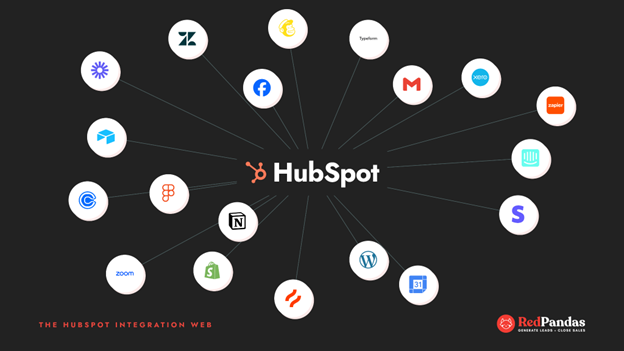
HubSpot integrations connect your CRM to the other software your business already runs, without needing custom development for every connection.
They generally fall into three types:
- Native integrations, listed in the HubSpot App Marketplace, connect in a few clicks with no code required
- Middleware tools, like Zapier, bridge apps that don’t have a native connection
- Custom-built integrations, built on HubSpot’s API, handle anything more complex than the first two allow
The HubSpot App Marketplace has apps spanning accounting software, advertising platforms, and customer support tools. That range is genuinely useful, but most Australian businesses only need a handful of these HubSpot integrations to fix their actual bottlenecks.
Why Location Matters for HubSpot Integrations in Australia
For an Australian business, where your data lives is part of the integration decision, not separate from it.
HubSpot’s Australian data centre in Sydney gives local businesses the option to host data onshore. This is particularly valuable for industries like healthcare, finance, or government that are subject to stringent compliance standards.
Location also shapes how specific HubSpot integrations behave. Xero is the clearest example.
The HubSpot Xero integration is supported worldwide, but certain invoice and payment features are only available in specific regions like Australia and New Zealand.
MYOB, another common Australian accounting platform, works differently. There’s no single native HubSpot connector for MYOB, so most businesses use a certified third-party app or a custom integration build to sync contacts and invoices between the two.
Together, these details are why a generic global list of HubSpot integrations doesn’t quite fit an Australian business.
The right shortlist accounts for what actually syncs properly here, not just what’s popular overseas.


Should Your HubSpot Data Be Hosted in Australia?
The Best HubSpot Integrations for Marketing Automation and Sales Alignment
The right HubSpot integrations turn separate marketing, sales, and finance tools into one connected system. Here are the ones worth prioritising, grouped by the job they do:
HubSpot Integrations for Ad Platforms and Lead Capture
1. Google Ads
The Google Ads HubSpot integration is one of the most useful add-ons for proving marketing ROI.
HubSpot syncs active lists and smart segments to Google Ads as Customer Match audiences, updating dynamically as contacts enter or leave your segments. Audience syncing and conversion event features require HubSpot Marketing Hub Professional or Enterprise.
Once connected, HubSpot can automatically add UTM parameters to your ads, so every click is tracked back to your CRM reports.
2. LinkedIn Ads
The LinkedIn Ads HubSpot integration covers two separate native connections, and it’s worth knowing which one you actually need.
The Ads integration lets you create, manage, and report on LinkedIn ads inside HubSpot, sync leads automatically, and send conversion events back to LinkedIn so campaigns optimise for outcomes like SQLs and closed-won deals.
Native Lead Gen Form sync is included with Marketing Hub Professional, while other tiers typically rely on Zapier or a browser extension to get the same result.
3. Meta Ads
The Meta Ads HubSpot integration rounds out the paid channels most Australian B2B teams run.
Once connected through Marketing, Ads, Connect account, HubSpot can pull in leads from Facebook Lead Ads without requiring any CSV uploads. Using this integration lets you keep Instagram and Facebook lead capture in the same workflow as your other channels.
HubSpot Integrations for Sales Alignment
1. Slack
The Slack HubSpot integration is consistently one of the highest-value add-ons for closing the gap between marketing handoff and sales follow-up.
Once a company or deal record is associated with a Slack channel, all new calls, notes, emails, tasks, and meetings on that record trigger a Slack notification.
You can also build a workflow action that sends a Slack notification to specific users or channels based on any trigger you set. That means a lead assigned in HubSpot can land in a sales rep’s Slack DM within seconds, with no need to check the CRM.
2. LinkedIn Sales Navigator
The LinkedIn Sales Navigator HubSpot integration is the second native LinkedIn connection, distinct from the Ads integration above.
LinkedIn Sales Navigator’s integration lets sales reps send InMail directly from the HubSpot contact record. Using this allows your business to have clearer forecasting and strategy angles by giving your reps LinkedIn context without leaving their pipeline.
HubSpot Integrations for Accounting and Operations
1. Xero
The Xero HubSpot integration deserves a mention here because it’s the integration most likely to trip up an Australian business if the region-specific detail is missed. The integration syncs contacts, products, invoices, and payments between HubSpot and Xero, automatically and bi-directionally
It’s crucial to note, though, that full invoice and payment functionality is limited to AU and NZ accounts.
2. Zapier
The Zapier HubSpot integration is the add-on to reach for once you’ve covered the core stack above.
Zapier connects HubSpot to over 1,400 apps using triggers and actions to automate work between HubSpot and other apps. This integration is free to all HubSpot customers, though some connected apps may require their own paid Zapier plan.

Does Your Portal Need Work? Here’s How to Do a HubSpot Health Check
How to Choose the Right HubSpot Integrations for Your Business
How to Choose the Right HubSpot Integrations for Your Business
Picking from 1,700+ apps is overwhelming if you start with the marketplace. Start with your business instead, then work backwards to the HubSpot integrations that solve it.
Here’s a step-by-step breakdown:
Step #1: Start With Your Biggest Bottleneck
Before browsing integrations, name the actual problem. Is it lead capture, sales and marketing alignment, or reporting and attribution?
The average HubSpot customer uses more than five integrations, so there’s no prize for connecting the most apps… But there’s a prize for connecting the right ones.
Many businesses make the mistake of over-integrating too early.
A better approach is to start with core integrations, like CRM plus marketing automation, and expand gradually. Bolt on ad platforms and accounting once the fundamentals are stable, rather than connecting everything on day one.
Step #2: Check the Tier Requirement Before You Commit
Some of the most useful HubSpot integrations are locked behind specific subscription tiers, and this catches Australian businesses out more than any other step.
Google Ads audience syncing and conversion event features, for example, require Marketing Hub Professional or Enterprise. LinkedIn’s native Lead Gen Form sync sits behind the same tier.
Confirm this against your current subscription before you promise a stakeholder a feature you can’t actually turn on yet.
Step #3: Decide Between Native, Operations Hub, Zapier, or a Custom Integration
Once you know what you need, match it to the right delivery method. Native integrations are built into HubSpot’s App Marketplace, either by HubSpot itself or by App Partner Program members, and setup generally takes 5 to 30 minutes with a guided OAuth flow.
Reach for something more when native falls short:
- Native integrations suit standard tools where simple, one-direction data flow is enough, like Slack or Zoom
- Operations Hub provides additional capabilities such as advanced bi-directional data sync, custom-coded workflow actions, and programmable automation, though it isn’t required for most integrations
- Zapier or Make suit low-volume or niche tools that don’t have a native connector, and don’t justify custom development
- A custom integration becomes worthwhile for custom objects, high record volumes, or systems without a usable public API

How to Tell If You’re Using HubSpot to Its Full Potential
What If You Need a Custom HubSpot Integration?
Not every business fits neatly into native connectors and Zapier zaps. Some need a custom HubSpot integration built specifically for their systems, and it helps to know when that’s actually the right call.
How to Tell if You Need a Custom HubSpot Integration
A handful of signals point clearly towards a custom build rather than a marketplace app or middleware tool.
If your business has custom objects, complex business logic, or 10,000-plus records syncing daily, native and middleware tools typically can’t keep up.
A connected system that’s on-premise, sits behind a firewall, or runs as a legacy ERP with no public API also rules out middleware entirely.
As a rough guide, check your situation against these questions:
- Does the connected system have custom objects with no equivalent in HubSpot’s standard data model?
- Are you moving high data volumes daily, rather than occasional form submissions or contact updates? Is the other system behind a firewall, on-premise, or without a public API?
- Does the workflow involve complex business logic that a simple trigger-and-action tool can’t replicate?
If two or more of these apply, a custom HubSpot integration is worth budgeting for properly, rather than trying to force a middleware workaround that breaks every quarter.
What Custom HubSpot Integrations Cost in Australia
Each custom integration typically adds A$3,000 to A$8,000 to a partner-led HubSpot project, covering:
- Discovery
- Development
- Testing for a standard business system connection
That range covers most mid-market needs, like connecting a practice management system or an industry-specific platform. More complex builds, such as real-time bidirectional sync with strict uptime requirements or compliance-heavy data handling, scale well beyond this and are usually scoped individually.
How Long a Custom HubSpot Integration Takes
Custom-built integrations generally take about two to three months from kickoff to completion for most mid-market projects, covering discovery, development, testing, and go-live.
A full implementation covering multiple hubs, custom objects, and complex integrations typically takes twelve to sixteen weeks. So, if you’re consolidating several systems at once, you should plan for the longer end of that range.
If you want to learn more about the impact a custom HubSpot integration can have for your business, here’s a case study on how RedPandas built a Cordell Connect integration for GrassHopper Environmental. This integration alone helped the company save 140 hours per month.
Frequently Asked Questions About HubSpot Integrations
What are the best HubSpot integrations for marketing automation and sales alignment?
The best HubSpot integrations for marketing automation and sales alignment are Google Ads, LinkedIn Ads, Meta Ads, Slack, LinkedIn Sales Navigator, Xero, and Zapier. Google Ads and LinkedIn Ads sync leads directly into your CRM. Xero connects invoicing for AU, NZ, and UK accounts. Slack sends real-time deal alerts, and Zapier covers any remaining gaps.
How many integrations does HubSpot have?
HubSpot’s App Marketplace has 1,700+ apps, covering marketing, sales, service, and operations tools. That number includes native integrations built by HubSpot and by App Partner Program members, plus middleware options like Zapier. Most businesses only need a handful of these HubSpot integrations to solve their actual bottlenecks.
Does HubSpot integrate with Xero in Australia?
Yes. HubSpot’s native Xero integration syncs contacts, products, invoices, and payments bi-directionally. Full invoice and payment sync is available for Australian accounts, along with New Zealand and the UK. Contact sync works globally, but the invoicing features are specifically supported in these three regions.
Is the HubSpot Zapier integration free?
Yes. The Zapier integration within HubSpot is free for all HubSpot customers, and it connects HubSpot to over 1,400 apps using triggers and actions. Some connected apps may require their own paid Zapier subscription, so check pricing for the specific apps you plan to connect.
Do I need Marketing Hub Professional for the Google Ads integration?
You need Marketing Hub Professional or Enterprise for Google Ads audience syncing and conversion event features. Basic connection is available on lower tiers, but Customer Match audiences and enhanced conversion tracking require Professional or above. Confirm your current subscription before promising these features to your team.
Does HubSpot integrate with MYOB?
There’s no single native HubSpot connector for MYOB. Most Australian businesses use a certified third-party app from the HubSpot or MYOB marketplace, or a custom API build, to sync contacts, invoices, and financial data between the two platforms.
What’s the difference between native and custom HubSpot integrations?
Native HubSpot integrations connect through the App Marketplace in minutes, using pre-built connectors with no code required. Custom integrations use HubSpot’s API to handle complex needs like custom objects, high record volumes, or systems without a public API, and usually require a developer to build and maintain them.
How do I choose the right HubSpot integrations for my business?
Start with your biggest bottleneck, whether that’s lead capture, sales alignment, or reporting, rather than browsing the App Marketplace. Check the subscription tier each integration requires, then match the tool to the job: native for standard needs, Zapier for gaps, and custom builds only for complex requirements.
Choosing HubSpot Integrations That Actually Work for Your Business
HubSpot integrations exist to close the gap between the tools your marketing, sales, and finance teams already use every day.
The right five or six, chosen against your actual bottleneck, do more for your pipeline than a long list ever will.
For an Australian business, the shortlist in this article also needs to hold up against local realities like:
- Data hosting
- Regional feature restrictions
- The accounting software your team already trusts
A generic global guide to HubSpot integrations won’t flag any of that, but this one has.
If you need a custom integration that’s built to help your business work better, RedPandas’ experts can help you out with a decade of experience in developing tailored solutions.
Get in touch with our experts for a free consultation on custom HubSpot Integrations through the link below:

Book Your Free HubSpot Integration Consultation
About the Author
This article was written by the team at RedPandas Digital, a HubSpot Diamond Solutions Partner based in Sydney, Australia. RedPandas is one of a small number of agencies accredited under HubSpot’s Partnered Scale Onboarding programme, and has delivered results including a 49.8% revenue increase and 378% lead growth within five months for an Australian client.
About the Author




Get the best content marketing insights right in your inbox!
Subscribe to our Newsletter and get marketing insights delivered to your inbox every week.