









4 Reasons Your HubSpot Implementation Could Fail (and How to Avoid It)

So, you bought HubSpot because you wanted clarity.
Clear reporting. Clear pipeline visibility. Clear accountability between marketing and sales.
But, instead of clarity, things start to get fuzzy a few weeks in: the data doesn’t quite line up, sales isn’t using it properly, and reports don’t match reality.
And when someone asks, “So what’s the ROI we’re getting out of HubSpot?”, the answer feels uncomfortably vague.
Well, here’s the thing: the problem in cases like this isn’t HubSpot… It’s your HubSpot implementation.
Not because the platform is lacking. Not because your team isn’t capable. But because most implementations focus on features instead of foundations.
They rush migration. They skip alignment. They assume adoption will “just happen.”
And slowly, the system that was meant to create clarity becomes another tool people tolerate rather than trust.
If you get this wrong, you don’t just waste licence fees. In fact, a failed HubSpot implementation can cause you to:
- Lose confidence in your reporting.
- Create friction between teams.
- Make revenue harder to predict.
But, if you get it right, HubSpot becomes what it was meant to be: a clean, aligned revenue engine that shows you exactly what’s working and where to focus next.
In this article, you’ll see why HubSpot implementations commonly fail and the practical tips you can use to prevent them. You’ll understand what actually drives adoption, what poisons reporting from day one, and how to build a system that supports revenue instead of confusing it.
Failure Point #1: You treat HubSpot Like Software You “Set Up” Instead of a Revenue System You Design

A HubSpot implementation usually goes sideways for one simple reason: the project starts with buttons and settings, not decisions.
Whenever this happens, you can end up doing things like:
- Importing contacts before you’ve agreed on what a “good” record looks like
- Building pipelines before you’ve defined what each stage actually means
- Setting up automation before you’ve locked down ownership, handoffs, and rules
- Launching dashboards before your data is trustworthy enough to report on
HubSpot itself is pretty clear about this: adoption is often the biggest hurdle, and the CRM needs to support your existing process or the process you’re deliberately standardising.
If the implementation doesn’t start with how work should flow, the tool won’t magically create that flow for you.
What This Problem Can Look Like in Your Workflows
When you don’t approach HubSpot implementation with a revenue system approach in mind, you can get a CRM that’s technically “live”, but functionally shaky:
- Sales updates deals inconsistently, because stages and next steps aren’t tied to clear actions
- Marketing can’t confidently report ROI because lifecycle stages and lead progression aren’t being used consistently
- Leaders stop trusting the numbers because the foundation of definitions, process, and data hygiene was never set. “Garbage in = garbage out” becomes your reality
And once trust goes, adoption goes with it. People stop updating records because “the CRM’s wrong anyway”, which makes it even more wrong. That spiral is how a HubSpot implementation quietly fails.


Common HubSpot Onboarding Problems
One piece of advice for avoiding this failure point is to avoid configuring anything you can’t explain on a whiteboard. If you can’t describe the process, the definition, and the owner in one minute, automation will only scale confusion.
Failure Point #2: You Migrate Messy Data Into HubSpot
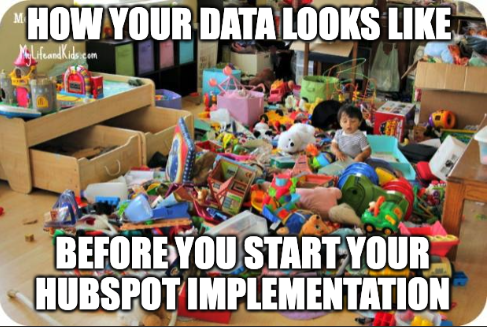
If there’s one mistake that can quietly ruin your HubSpot implementation before it’s even “live”, it’s moving your old data in as-is.
Sure, it sounds efficient, and it feels like progress because you can “clean everything up later”.
But this is usually the moment your CRM can start losing credibility.
Once your teams see duplicates, missing fields, weird formatting, or records that don’t match reality, they’ll probably stop trusting your HubSpot portal before it even gets a chance to demonstrate its value.
Then, they stop using it properly… and then reporting falls apart. That’s the slippery slope. This “lack of trust because of poor data quality” is a classic CRM failure pattern.
HubSpot is blunt about it too: clean the data and don’t waste time importing old/test records or unused fields, because dirty data confuses the team.
Although database hygiene can be viewed differently depending on who’s looking, messy data in HubSpot is a problem that usually presents itself in five key ways:
| Sign of Messy Data | Explanation |
| Duplicates | The same person or company appears multiple times, causing activity history and ownership to be split. |
| Inconsistent values | For example, “UK”, “United Kingdom”, and “U.K.” are all treated as different entries. |
| “Zombie” properties | Fields you used to care about that now clutter the CRM and cause confusion for everyone. |
| Broken associations | Contacts aren’t linked to companies, deals aren’t linked to the right people, and your pipeline view becomes a guessing game. |
| Mystery fields | Nobody knows what a property means, so nobody fills it in consistently. |

Why does your HubSpot portal get messy over time?
Now, HubSpot does have deduplication behaviour for contacts via email address and companies via domain name, and you can also dedupe via imports using Record ID or unique properties.
But the point here is that it’s recommended not to rely on tools to fix a strategy problem. Instead, you ideally want to prevent the mess from going in.
Failure Point #3: Nobody Agrees What “Qualified” Means

If your HubSpot implementation feels tense, it’s usually because the system is reflecting a truth you’ve been able to ignore until now: You probably don’t have shared definitions.
Not vibes. Not “we’ll know it when we see it”.
When we talk about the idea of “shared definitions”, we’re referring to actual, written, and agreed-upon rules for:
- Lifecycle stages for the macro journey
- Lead status for micro qualification activity
- Handoffs covering who owns what, when, and what must be true before ownership changes
HubSpot explicitly frames Lifecycle stages as a way to categorise contacts/companies based on where they are in your marketing and sales processes, and to understand how leads are handed off between teams.
Taking this into consideration, it’s ideal to create and customise lifecycle stages so the stages match your business process instead of forcing your process to match the tool.
But the problem here is that when you don’t define these clearly, HubSpot doesn’t create alignment… It exposes misalignment.
An example of this in practice could look like:
- One person marks someone as an MQL because they downloaded a guide, another thinks an MQL means “requested a demo”
- One person changes a lifecycle stage because “they feel sales should look at it”, another changes it only after a discovery call
- Sales uses Lead Status inconsistently or not at all, so you can’t tell the difference between:
- A lead that hasn’t been touched yet
- A lead that was contacted and ignored
- A lead that’s actively in conversation
HubSpot’s own community discussions make a clear distinction: Lifecycle Stage describes the relationship or journey, while Lead Status describes sales activities during qualification.

How to Align Your Sales and Marketing Teams Using HubSpot
Failure Point #4: You Do a One-And-Done Training Session, Then Hope Adoption “Just Happens”

Even with a clean portal, good data, and clear definitions, your HubSpot implementation can still fail for one boring reason: People don’t change their behaviour just because you gave them a login.
CRM failure write-ups consistently call out lack of user adoption as a top reason implementations fall apart, which is often tied to:
- Poor training
- Low perceived value
- Resistance to change
And although HubSpot itself sells “End-User Onboarding” with the explicit goal of helping you build standardised training materials for current users and future hires, it may not always be enough to ensure adoption.
You might not realise it now, but the signs of low HubSpot adoption or weak enablement tend to creep in rather silently. Here are a few warning signs that your teams aren’t fully on board with the idea of using the portal you’ve just set up:
- You run one training session, attendance is patchy, everyone nods… And two weeks later, usage drops off a cliff
- The CRM starts to feel like admin work, because nobody linked it to how you win revenue
- People do their own thing: notes in Slack, deals tracked in spreadsheets, key info living in someone’s inbox
- Small mistakes like wrong lifecycle stages, missing fields, and inconsistent deal updates pile up… And suddenly, reporting becomes untrustworthy again
This is why “training” your teams to use HubSpot isn’t just teaching someone where buttons are.
It’s teaching what good looks like, every day.

Why Sales Teams Resist Using a CRM (& How to Fix It)
How a HubSpot Partner Agency Can Turn Your Struggling Implementation Around
When a HubSpot implementation starts to wobble, the symptoms are obvious:
- Reporting doesn’t quite make sense
- Adoption is inconsistent
- Definitions are vague
- Momentum has stalled
At that point, most teams try to “fix” their portals.
What actually needs fixing is the structure behind it.
This is where a strong HubSpot partner agency can make a measurable difference… Not by adding complexity, but by introducing clarity, sequencing, and accountability.
Let’s take a look at the different ways an agency can save your struggling implementation project with the help of what’s commonly called HubSpot onboarding:
1. They Can Reset the Strategy Before Touching the Settings
When an implementation struggles, it’s usually because configuration came before alignment.
A good partner agency will pause the build and ask uncomfortable but necessary questions:
- “What business outcome is HubSpot meant to drive?”
- “What does ‘qualified’ actually mean here?”
- “Where exactly does marketing hand over to sales?”
- “What needs to be true before a deal moves to the next stage?”
Instead of patching workflows, they redesign the revenue flow. And that reset often solves more problems than any technical tweak ever could.
2. They Can Bring Pattern Recognition From Hundreds of Portals
When you’re inside your own business, everything feels unique.
And while it definitely is, the HubSpot implementation failure patterns you’re experiencing aren’t.
An experienced agency has seen:
- Lifecycle stages being used incorrectly
- Over-engineered automation that breaks reporting
- Property sprawl that overwhelms users
- Instances of CRM adoption collapse because of rushed training
And because they’ve seen all these things before, they can spot risks early and simplify fast.
That perspective prevents you from rebuilding the same problems in a slightly different way.
3. They Can Reduce Scope Creep Without Killing Momentum
One of the quiet killers of a HubSpot implementation is overbuilding.
See, most teams start with good intentions.
“Let’s just add this field.” “Let’s automate that.” “Let’s build a few more dashboards.”
Suddenly, the portal is bloated, confusing, and harder to adopt.
A strong partner prevents this from happening by introducing key guardrails, like:
- What is essential for phase one?
- What belongs in a backlog?
- What delivers commercial impact now?
That discipline keeps your implementation usable, not just impressive.
4. They Handle the Technical Foundations Properly
Technical setup isn’t glamorous, but it matters.
You can count on a qualified, experienced HubSpot partner agency to elevate the success of your HubSpot implementation with key tasks like:
- Domain and email connections
- Tracking code validation
- Analytics alignment
- Data migration integrity
- Object associations
If these aren’t handled correctly, reporting suffers later.
An experienced agency ensures the plumbing works before building automation on top of it to protect trust in the system.
5. They Accelerate Early Wins
Momentum matters in change management.
If your team logs into HubSpot and sees “another system”, adoption slows. But if they see:
- A campaign running successfully
- Leads routed automatically
- Pipeline visibility improving
- Reports that finally align with reality
Then, confidence builds.
A partner often designs implementation around delivering a visible, meaningful early win. That psychological shift reduces resistance and increases buy-in across the organisation.

6 Benefits Of Onboarding with a HubSpot Partner (Instead of HubSpot’s In-House Onboarding)
Frequently Asked Questions About HubSpot Implementation
What is a HubSpot implementation?
A HubSpot implementation is the structured process of setting up HubSpot to match your sales, marketing, and revenue workflows.
It includes defining lifecycle stages, cleaning and migrating data, configuring pipelines, setting permissions, building automation, and training users so the system supports real business processes, not just features.
Why do HubSpot implementations fail?
HubSpot implementations usually fail due to poor planning, messy data migration, unclear lifecycle definitions, lack of user adoption, and scope creep.
The platform itself is rarely the issue. Most failures happen because teams configure tools before defining processes, ownership, and reporting requirements.
How long does a HubSpot implementation take?
A HubSpot implementation typically takes 4 to 12 weeks, depending on complexity, data quality, and internal alignment.
A simple CRM setup with clean data may take a few weeks. A multi-hub, multi-team rollout with integrations and automation will take longer.
What should be included in a HubSpot implementation plan?
A strong HubSpot implementation plan should include:
• Clear business outcomes
• Defined lifecycle stages and handoff rules
• Data cleaning and migration strategy
• Pipeline configuration
• Required property mapping
• MVP automation setup
• Role-based training
• Governance and permissions
Without these, adoption and reporting usually suffer.
How do you ensure CRM adoption during a HubSpot implementation?
To ensure adoption during a HubSpot implementation:
1. Train by real tasks, not features
2. Define clear stage movement rules
3. Assign a system owner
4. Limit admin access
5. Reinforce usage during the first 30 to 60 days
Adoption improves when the CRM removes friction instead of adding admin work.
Should you migrate all your old data into HubSpot?
No. During a HubSpot implementation, only migrate data that is clean, relevant, and required for reporting or active pipeline management.
Importing outdated, duplicate, or unused records reduces trust and harms adoption. On the other hand, clean data builds confidence from day one.
What are the biggest risks in a HubSpot implementation?
The biggest risks in a HubSpot implementation are:
• Undefined lifecycle stages
• Inconsistent lead qualification criteria
• Overbuilding automation too early
• Weak governance and permissions
• Lack of executive sponsorship
These issues lead to poor data quality, low adoption, and unreliable reporting.
How do you measure the success of a HubSpot implementation?
Measure HubSpot implementation success in three stages:
1. Adoption: deal updates, activity logging, and task completion
2. Data health: required fields, duplicates, and associations
3. Business impact: lead response time, conversion rate, and pipeline visibility
Revenue reporting only works when adoption and data quality are strong.
Build the Foundation, Unlock the Growth
Here’s the question you’re probably asking after reading everything above:
“So what? We get it. Implement it properly. But what does this actually mean for us?”
Well, it means this: Your HubSpot implementation is not a tech project. It’s a revenue clarity project.
If you treat it like a software installation, you can end up with dashboards that can only cause more frustration.
But if you treat it like a system design exercise, you’ll get alignment, visibility, and momentum.
That’s the difference.
Right now, your CRM is either becoming a trusted operating system for growth or an expensive database that people log into reluctantly.
The good news? You don’t need a six-month transformation to fix this.
If you want one simple starting point, run a 60-minute “HubSpot Reality Check” this week by asking three questions internally:
- “Do we trust our pipeline numbers?”
- “Does everyone agree what ‘qualified’ means?”
- “Is HubSpot making work easier, or adding friction?”
And if you hesitate on any of those, that’s your starting line.
Get in touch with us today and schedule a consultation with our in-house growth experts to learn more about how to set up HubSpot the right way… Regardless if you end up working with us or not.

What’s Included in a RedPandas HubSpot Onboarding Package?
About the Author





Get the best content marketing insights right in your inbox!
Subscribe to our Newsletter and get marketing insights delivered to your inbox every week.