









How Can I Get More Value From My HubSpot Credits?

You log into HubSpot near the end of the month and notice something odd: Your HubSpot credits are about to reset.
Some are unused. Some were spent. But when you look closer, you’re not entirely sure where they actually went… or whether they created any real value for your business.
Sound familiar?
When someone says, “Don’t forget to use your HubSpot credits before they expire”, it can feel less like an opportunity and more like another thing to manage.
And here’s the problem: HubSpot credits reset monthly, and unused credits don’t roll over.
That means if you’re not intentional about how you use them, HubSpot credits can either disappear unused or get spent on features that don’t move the needle.
Unfortunately, that’s where most teams get stuck.
Some businesses burn through credits quickly as they experiment with AI tools and automation.
Others barely use them at all because they’re unsure which features actually help generate pipeline, improve sales productivity, or support customers faster.
And because of all this, credits usually end up becoming background noise instead of a strategic advantage.
If you’re responsible for marketing performance, sales efficiency, or overall revenue growth, you don’t need another list of HubSpot features. You need a clear way to decide where your monthly credits will have the biggest impact.
In this article, you’ll learn what HubSpot credits actually do today, which tools use them, and how to allocate your monthly credits so they support real revenue outcomes instead of quietly disappearing each month.
What are HubSpot Credits?
If you’re trying to make the most of your HubSpot credits each month, the first step is understanding what they actually are and how they work today.
Many teams assume credits behave like loyalty points or a rolling allowance, but HubSpot’s system works quite differently.
See, HubSpot credits are a usage-based allowance tied to specific AI, automation, and data intelligence features within the platform.
Instead of charging you every time you use one of these tools, HubSpot gives your account a set number of credits each month. Those credits are then consumed when certain features run actions or perform tasks.
According to HubSpot’s billing documentation, credits reset monthly, and unused credits expire at the end of the billing cycle rather than rolling over.
Taking this into consideration, it’s clear that credits aren’t meant to be hoarded or saved over time. Instead, they’re meant to be treated as a monthly operational resource, similar to a budget you allocate intentionally across the tools that drive the most value.
To understand why this matters, it helps to break down three key characteristics of the current HubSpot credit model:
HubSpot’s current product catalogue states that the number of included credits varies depending on your subscription level:
| HubSpot Subscription Tier | Credit Allocation |
| Starter tier | 500 HubSpot credits per month |
| Professional tier | 3,000 HubSpot credits per month |
| Enterprise tier | 5,000 HubSpot credits per month |
Which HubSpot Features Consume Credits?
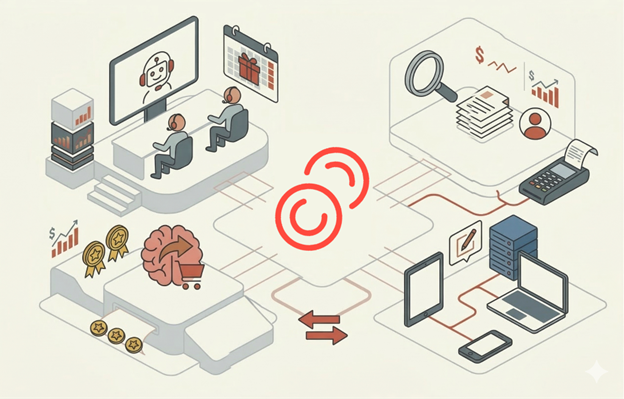
Many teams assume credits are tied to “AI in general”, but they’re actually tied to specific tools and actions; each with its own usage rate and business purpose.
HubSpot credits are mainly consumed by a handful of features, such as Customer Agent, Prospecting Agent, buyer intent signals, AI workflow actions, and certain Data Studio dataset operations.
These features can be powerful when used intentionally, but they can also consume credits quickly if switched on without a clear objective.
To make sense of it, it helps to look at how each feature uses credits and why you might choose to use it:
| HubSpot Feature | What the Feature Does | Typical Credit Usage* | When It Creates Real Value | Where Credits Can Be Wasted |
| Customer Agent | An AI-powered support assistant that answers customer questions, guides users through common issues, and escalates complex queries to human agents. | ~100 credits per text-based conversation | When your business receives many repetitive questions (pricing, onboarding steps, documentation requests). A well-trained agent can reduce support workload and improve response time. | If the knowledge base is incomplete or poorly structured. Customers may repeatedly ask questions that the agent cannot answer, consuming credits without solving the problem. |
| Prospecting Agent | AI that helps sales teams research companies and monitor contacts for potential buying signals or outreach opportunities. | ~100 credits to monitor a contact per billing period; ~10 credits for deep company research | When used for target account selling, where sales teams focus on a small list of high-value companies and need deeper insight before outreach. | When applied broadly across large contact lists without a clear account strategy. Credits can disappear when monitoring contacts that sales never prioritises. |
| AI Workflow Actions | AI-powered actions inside HubSpot workflows that can summarise data, generate content, analyse records, or support automation logic. | ~10 credits per AI workflow action executed | When AI improves an important process, such as lead qualification, personalised follow-up messaging, or automated summarisation for sales teams. | When workflows process large volumes of records unnecessarily. A single AI action running across hundreds or thousands of contacts can consume credits quickly without improving outcomes. |
| Buyer Intent Signals | Identifies companies that appear to be researching topics related to your product or industry, helping sales prioritise outreach. | ~10 credits per company monitored per month | When monitoring a defined target account list, marketing and sales are aligned on which companies to pursue. | When tracking very large company lists without a clear follow-up plan. Intent signals may be generated but never acted on by sales. |
| Data Studio Dataset Operations | Enables advanced datasets that can be used in workflows, CRM syncs, segmentation, or exports for operational automation. | ~25–200 credits, depending on dataset size when used operationally | When powering advanced automation, segmentation, or integrations that rely on complex data models. | When large datasets trigger automation repeatedly or unnecessarily, consuming credits without producing new insights. |
| Data Enrichment | Automatically enriches company and contact records with additional firmographic or demographic data. | Does not consume HubSpot credits for Starter, Professional, or Enterprise tiers | Useful for improving CRM data quality without impacting credit usage. | Not a credit risk, but businesses may still misuse enrichment if the data is never used operationally. |


5 HubSpot Features You Can Use to Get More Sales | Episode 187
When you step back, the pattern becomes clear. The tools that consume credits are typically the ones that analyse behaviour, generate AI outputs, or operationalise large datasets at scale.
That is why the most successful teams do not treat HubSpot credits as something to simply “use up”. Instead, they treat them as a limited monthly resource that should be assigned to the processes most likely to influence pipeline, sales efficiency, or customer experience.
The Best Ways to Use HubSpot Credits Without Wasting Them
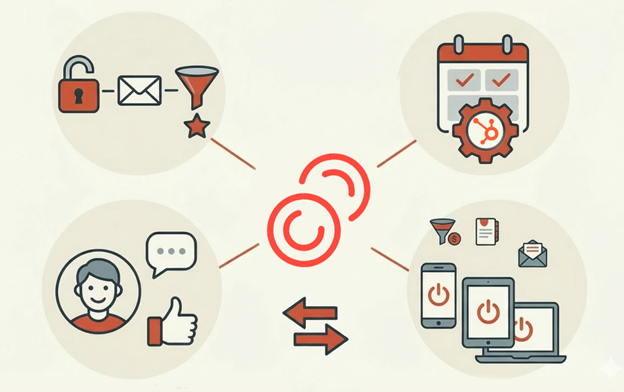
The most common mistake businesses make with HubSpot credits is assuming the goal is simply to use them before the monthly reset. In reality, the goal is to allocate them where they create measurable business value.
Considering that credits reset monthly with no credits rollover, the most ideal approach is to treat them as a limited monthly resource tied to specific high-impact actions rather than a pool that must be spent every month.
Here are the areas where credits usually deliver the strongest return when used intentionally:
Way #1: Use Credits Where They Directly Influence Revenue Outcomes
Before deciding where credits should go, it helps to prioritise the activities that most directly affect pipeline, deal velocity, or customer experience.
When credits are spent on these activities, the spend tends to be more justified compared to other alternatives:
| Activity | Reason |
| Prioritising high-value sales prospects with Prospecting Agent | Because the cost of Prospecting Agent is tied to individual contacts, this tool works best when it is focused on a short list of strategic accounts instead of a large contact database. For example, if your sales team only monitors its top target accounts, the tool’s research and signals are more likely to translate into timely outreach and meaningful conversations. But monitoring hundreds of contacts without a defined outreach strategy can quickly consume credits without producing better sales outcomes. |
| Using Buyer Intent to identify companies already showing interest | HubSpot’s Buyer Intent features allow teams to see which companies are interacting with relevant topics or content. The 10 credits spent per company monitored with this tool become far more valuable when used with a defined ideal customer profile (ICP). Instead of adding every company showing interest, your teams are better off focusing on companies that match their industry, company size, and product fit. That keeps credit usage low while increasing the likelihood that sales outreach leads to qualified opportunities. |
| Reducing support workload with Customer Agent | Customer Agent can automatically answer routine customer or prospect questions using a company’s knowledge base. Considering that every conversation handled by the agent consumes roughly 100 credits. Customer Agent tends to deliver the most value when it handles high-volume, repetitive enquiries, such as: Pricing questions. Documentation lookups. Common troubleshooting requests. If it’s answering questions that would otherwise require a support rep’s time, the credits effectively convert into saved labour hours and faster responses for customers. |

How to Use HubSpot Breeze AI for Marketing, Sales and Customer Service
Each of these examples shares the same principle: credits work best when they support activities that already influence revenue or efficiency, not when they are used purely for experimentation.
Way #2: Be Selective With AI workflow Actions
Another common place where credits disappear is inside automated workflows.
AI workflow actions require HubSpot Credits… And because workflows run automatically, they can consume credits quietly in the background.
To prevent this, it’s recommended that your teams think carefully about which workflow steps actually benefit from AI rather than using AI simply because it’s available. Here are a few ways you can help ensure selectiveness in your approach:
- Use AI only when it replaces meaningful manual work: AI actions in workflows are most valuable when they perform tasks that would otherwise take a person several minutes or require detailed analysis. Examples include summarising a large contact history or analysing engagement patterns across multiple interactions.
When AI is used for small tasks that rules-based automation could already handle, the credits provide little additional value. - Test workflow changes with small data sets first: Running an AI workflow across thousands of records immediately can consume credits rapidly. But testing with a limited number of records first helps confirm whether the output is actually useful before expanding usage.
- Review workflows regularly for unnecessary AI actions: Over time, workflows often accumulate extra steps. If an AI action no longer contributes to a clear outcome, removing it prevents ongoing credit consumption.
These practices help ensure that AI workflow actions remain strategic tools rather than background credit drains.
Way #3: Separate Credit-Consuming Tools From Tools That Do Not Use Credits
Another key part of managing HubSpot credits effectively is understanding that not all advanced features consume them.
Here are a few capabilities that many teams assume are credit-based, but don’t actually use any credits at all:
- Data enrichment does not consume HubSpot Credits for paid tiers: Data enrichment for Starter, Professional, and Enterprise subscriptions does not consume HubSpot Credits, even though it enhances contact or company data using HubSpot’s intelligence systems.
- Reporting and analysis often don’t require credits: Using datasets for reports, for example, doesn’t necessarily consume credits unless the data is being operationalised through workflows or CRM synchronisation.
- Some feature access requires credits to be available, but may not spend them immediately: Certain buyer intent or automation functions simply require credits to exist in the account before they can be enabled, even if the specific action does not immediately consume them.
Understanding these distinctions prevents teams from avoiding useful features out of fear that every advanced capability will drain their monthly credits.

he One HubSpot Tool That Can Instantly Improve Your Marketing ROI
When viewed through a business lens, HubSpot credits behave less like a marketing perk and more like a monthly operational budget for specific AI-driven actions.
The most effective teams treat HubSpot Credits a certain way: they decide where the credits will produce the greatest operational advantage, limit their use elsewhere, and review the results each month.
When credits are used this way, they stop feeling like something that disappears quietly in the background. Instead, they become a deliberate investment in the activities that move revenue, productivity, and customer experience forward.
Frequently Asked Questions: HubSpot Credits
What are HubSpot credits?
HubSpot credits are a monthly usage allowance that powers certain AI, automation, and prospecting features inside HubSpot.
They are used by tools such as:
• Prospecting Agent.
• Customer Agent.
• Buyer Intent.
• AI workflow actions.
• Some data tools.
Credits reset each month, and unused HubSpot credits do not roll over.
How many HubSpot credits do you get each month?”
The number of HubSpot credits included each month depends on your subscription tier. Typically:
• Starter: around 500 HubSpot credits.
• Professional: around 3,000 HubSpot credits.
• Enterprise: around 5,000 HubSpot credits.
Credits reset monthly, and additional credits can usually be purchased if needed.
Do unused HubSpot credits roll over?
No. Unused HubSpot credits do not roll over. They reset at the end of each billing period.
If your business does not use the credits during the month, they expire, and a new monthly allowance begins with the next billing cycle.
What features use HubSpot credits?
Several AI-powered tools consume HubSpot credits, including:
• Prospecting Agent.
• Customer Agent.
• Buyer intent tools.
• AI actions inside workflows.
• Some Data Studio syncs.
Different features consume credits at different rates depending on how they are used.
How can I check my HubSpot credit usage?
You can monitor HubSpot credits in your account by going to:
Settings → Account & Billing → Usage & Limits → HubSpot Credits
This dashboard shows current usage, historical usage, and a usage log so you can see which features are consuming credits.
What happens when you run out of HubSpot credits?
If you run out of HubSpot credits, some credit-based features may stop working until the next monthly reset. Depending on your account settings, you may also be able to purchase additional credit packs or enable pay-as-you-go usage.
What is the best way to use HubSpot credits?
The best way to use HubSpot credits is to focus them on features that improve revenue outcomes. Most businesses get the most value by using credits for:
• Prioritising high-intent accounts.
• Automating repetitive service conversations.
• Improving sales prospecting insights.
Avoid spreading credits across too many experiments at once.
How can I stop HubSpot credits from being wasted?
To avoid wasting HubSpot credits, follow three simple practices:
1. Focus credits on one clear business goal each month.
2. Monitor credit usage in the HubSpot dashboard.
3. Set credit limits or alerts to prevent unexpected usage.
This helps ensure credits support real pipeline or efficiency improvements.
Your HubSpot Credits Are Only Valuable if They’re Intentional
HubSpot is investing heavily in AI-driven tools across marketing, sales, and service, which means the number of features that can consume credits will likely continue to grow.
If you build the habit of managing them intentionally today, you can put yourself in a position to benefit from those tools instead of being overwhelmed by them.
Before your next monthly reset, open your HubSpot credit usage dashboard and ask three quick questions:
- Which feature used the most credits this month?
- What business result did it actually produce?
- Would you confidently spend those credits again next month?
If the answer to that last question is unclear, that’s your signal to tighten the scope, pause the feature, or redirect those credits somewhere more valuable.
Because at the end of the day, the goal isn’t to use all your HubSpot credits.
The goal is to make sure every credit you use actually moves your business forward.
And once you start thinking about them that way, losing credits at the end of the month stops being a problem because you’ll know they were spent exactly where they should have been.

How to Get More ROI from HubSpot (without spending more)



Get the best content marketing insights right in your inbox!
Subscribe to our Newsletter and get marketing insights delivered to your inbox every week.