









Is HubSpot Optimisation Worth It? 5 Ways It Delivers ROI

Key Takeaways
- HubSpot optimisation improves an existing portal’s data, automation, qualification, reporting, and adoption without adding new tools
- Data first: duplicates, loose lifecycle stages, and unused properties break every report and workflow built on them
- Scoring: separate fit from engagement, and tie score thresholds to routing and tasks
- Speed: leads contacted within an hour are nearly 7x more likely to qualify, so automated routing pays off fast
- Attribution: match the report to the question; contact create for leads, deal create for pipeline, and revenue for leadership
- Proof: m|devices went from weeks away from replacing HubSpot to saving 12+ hours a week on reporting after a three-month optimisation program
Quick Answer
HubSpot optimisation pays for itself by recovering value from a portal you already pay for. Cleaning data, tightening lead qualification, automating routing and follow-up, fixing attribution reporting, and lifting adoption cut wasted sales time and make ROI visible. Most of the return comes from hours saved, faster lead response, and reports leadership trusts.
Curious how much value your own HubSpot portal is leaving on the table? The RedPandas HubSpot Health Check Quiz shows where your data, automation, and reporting need work.
Take the free quiz through the link below to see where your portal stands:


Take the Free HubSpot Health Check Quiz
The renewal invoice for HubSpot lands, and someone in finance asks a fair question: what are we actually getting for this?
You know the platform can do more. Yet, the workflows were built once and never revisited, sales doubts the leads, and the dashboards need a meeting to explain.
That is the moment HubSpot optimisation earns its keep.
It tightens what you already pay for, so the portal starts returning more than it costs.
RedPandas Digital, a HubSpot Diamond Solutions Partner based in Sydney, has walked Australian clients back from that exact renewal conversation, including one that was weeks away from replacing HubSpot altogether.
This guide covers five ways HubSpot optimisation pays for itself, how to estimate the return in AUD, and when a partner-led approach makes sense.
What Is HubSpot Optimisation?
HubSpot optimisation is the process of improving a live HubSpot portal so it delivers more value from the same subscription. It covers data quality, lifecycle stages, lead scoring, workflows, reporting, and user adoption.
It differs from implementation in timing. Implementation sets up a portal for the first time. Optimisation fixes a portal that has drifted from how the business sells today.
Common signs your portal needs it:
- Reports need explaining before anyone acts on them
- Sales doubts marketing’s leads
- Duplicate contacts keep appearing
- You pay for Professional or Enterprise features nobody uses
For a longer checklist, see these 9 signs you need a CRM optimisation service.
Way #1: It Fixes Your Data Foundations and Saves Your Portal

HubSpot is only as valuable as the data running through it.
Clean data is usually the highest-return fix, because every report and workflow runs on it. Gartner estimates poor data quality costs organisations an average of USD $12.9 million a year. In a HubSpot portal, that cost shows up as double handling, flawed attribution, and reps who stop trusting the CRM.
HubSpot optimisation fixes data foundations in three areas:
- Duplicates: merge existing contact and company duplicates, set merge rules that keep activity history and deal associations, and turn on ongoing duplicate monitoring
- Lifecycle stages: define entry criteria for each stage, assign ownership by setting rules like “marketing owns early stages, sales owns later ones”, and automate progression only when conditions are met
- Data model: standardise the core properties that reports and workflows rely on, remove unused or overlapping fields, and check associations reflect real buying relationships
Data Hub and Breeze help keep it clean. Data quality tools flag formatting issues and duplicates automatically, and Breeze data enrichment fills gaps in company records. The tools only work once the rules underneath are clear.
Clean data also supports compliance. Accurate consent and contact records make it easier to meet Australian Privacy Act 1988 and Spam Act 2003 obligations.
A HubSpot audit or health check is the usual starting point, because it shows which data issues cost the most.

Is Poor HubSpot List Hygiene the Reason My Portal Has Bad ROI?
Way #2: It Tightens Lead Qualification So Sales Time Turns Into Revenue
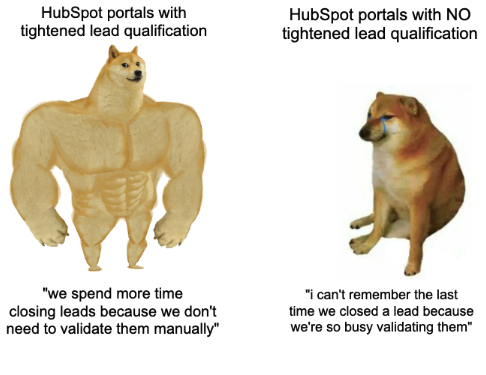
Tighter qualification protects your most expensive resource: sales time. When “qualified” is a judgment call, reps lose hours chasing leads that were never ready.
Start by agreeing what qualified means. Optimisation documents the rules before any scoring or automation is built:
- Use evidence: qualify on firmographic fit, behavioural intent, or explicit actions such as a demo request
- Separate interest from readiness: a blog reader may be interested without being ready to buy
- Lock down ownership: decide who can move a lead’s lifecycle stage, and under what conditions
Then rebuild scoring around fit and engagement. HubSpot’s lead scoring tool lets you score these separately:
- Fit answers “should we sell to them?”: company size, role, and industry
- Engagement answers “should we sell to them now?”: pricing page views, demo requests, and repeat visits to high-value pages
Tie thresholds to action. A score that only filters lists changes nothing. Optimised scoring triggers owner assignment, task creation, or lead creation the moment a threshold is reached.
Review scores against real outcomes. Check every quarter whether high-scoring leads actually close, then adjust the weights. This step-by-step guide on how to set up HubSpot lead scoring walks through the setup.
The payoff is warmer sales conversations, faster follow-up, and marketing measured on revenue contribution.

How To Set Up HubSpot Lead Scoring to Improve Sales Efficiency
Way #3: It Automates Routines and the “Boring” Tasks

HubSpot stops paying for itself the moment progress depends on someone remembering the next step. “Someone should assign the lead” and “someone should follow up” are expectations, and expectations slip under pressure.
Speed-to-lead is the clearest example. A Harvard Business Review study of 1.25 million leads found firms that responded within an hour were nearly seven times as likely to qualify the lead as firms that waited longer.
Optimisation builds three layers of automation:
- Lead routing: assign owners automatically by territory, segment, or deal size, create a follow-up task instantly, and log a handoff timestamp so response time is measurable
- Follow-up support: workflows watch for inactivity and create tasks, while sequences give reps editable, one-to-one outreach they control
- Pipeline hygiene: flag deals with no activity for a set period, alert managers when deals exceed expected stage duration, and require key properties at stage changes so forecasts stay honest
Automation protects sales effort. The aim is momentum: every manual step adds delay and risk, and every automated safeguard removes a dependency on memory.
The payoff compounds over time into faster response, cleaner pipelines, and fewer hours lost to admin.

How Do I Build a Lead Nurturing Workflow in HubSpot That Actually Works?
Way #4: It Builds Reporting You Can Stand Behind

Optimised reporting moves from “here’s what happened” to “here’s what to do next”. Weak reporting is expensive because it slows decisions and puts marketing budget under pressure.
Match each attribution report to its question. HubSpot offers three types:
| Report Type | Question It Answers | Best Used For |
| Contact create attribution | What drives net-new leads? | Top-of-funnel campaign planning |
| Deal create attribution | What creates pipeline? | Proving marketing’s impact on sales |
| Revenue attribution | What influences closed-won revenue? | Leadership and budget reporting |
Build a short chain of connected reports. Optimisation usually sets up five that ladder from activity to revenue:
- Pipeline created by source or campaign
- Stage-to-stage conversion rates
- Time in stage and sales velocity
- Closed-won revenue by source or campaign
- Customer journey report showing common paths and drop-offs
Make attribution consistent before making it perfect. Most breakdowns come from inconsistent campaign tagging, loose lifecycle stages, unlinked deals, or overwritten revenue fields. Pick one primary model for leadership and stick with it.
For ready-made dashboards, see this list of the best Sales Hub reports in HubSpot.

How to Optimise Your HubSpot Setup (Without Spending More Dollars)
Way #5: It Drives Real Platform Adoption

HubSpot only pays for itself when it becomes the place work actually happens. If reps update the CRM after the real work, the data lags and every other fix weakens.
Adoption-focused optimisation removes friction in four places:
- One daily work queue: surface tasks, follow-ups, and priority actions in Sales Workspace, so reps stop jumping between inboxes and records
- Playbooks inside records: embed discovery questions and qualification criteria in contact and deal records, mapped to CRM properties
- Instant next steps: standardise booking links for intro calls and demos, and track “next meeting booked” as a pipeline milestone
- Automatic activity logging: connect inboxes and calendars so emails and meetings log themselves against the right contacts and deals
If resistance is cultural as well as technical, this guide on why most businesses struggle with CRM adoption covers the people side.
Case Study: How m|devices Kept HubSpot and Saved 12+ Hours a Week
m|devices was weeks away from replacing HubSpot altogether. Tickets were handled manually, key workflows were not automated, marketing data was scattered, and sales and service worked in silos.
RedPandas ran a three-month HubSpot Optimisation Program in three phases: customer journey mapping and data clean-up, then a new ticket pipeline with automated routing and 10+ workflows, then rep activity reporting and portal training.
The results:
- 12+ hours saved per week on reporting
- 4x faster customer response rates
- 100% visibility over productivity, deals, and pipelines.
- HubSpot licence retained, with users more confident in the platform
Read the m|devices case study to learn more about RedPandas’ approach to HubSpot optimisation.

Why Sales Teams Resist Using a CRM (& How to Fix It)
How to Estimate Your HubSpot Optimisation ROI in AUD
Time saved is the easiest return to measure. Use this four-step estimate, then swap in your own numbers:
- Count admin hours saved per rep each week (manual logging, lead triage, chasing updates).
- Multiply by the number of reps and their loaded hourly cost.
- Add reporting hours saved by managers and marketing.
- Multiply by working weeks in the year.
Illustrative example:
| Input | Figure |
| 5 reps saving 3 hours a week each, at AUD $60 an hour | AUD $900 a week |
| Reporting time saved: 12 hours a week, at AUD $60 an hour | AUD $720 a week |
| Total over 46 working weeks | AUD $74,520 a year |
For comparison, five Sales Hub Professional seats cost AUD $8,400 a year billed annually, before GST. Faster lead response and more closed deals sit on top of that time saving.
Frequently Asked Questions (FAQs): HubSpot Optimisation
What is HubSpot optimisation?
HubSpot optimisation is the process of improving an existing HubSpot portal so it delivers more value from the same subscription. It covers data cleanup, lifecycle stages, lead scoring, workflows, attribution reporting, and user adoption. HubSpot optimisation is often done with the help and expertise of a HubSpot partner agency like RedPandas Digital.
How does HubSpot optimisation pay for itself?
It pays for itself by cutting wasted sales time, improving lead quality, and speeding up deals inside a platform you already fund. Typical returns include fewer hours on manual admin, faster lead response, fewer stalled deals, and attribution reports leadership trusts. Paid features that sat unused also start earning their cost.
When should you consider HubSpot optimisation?
You should consider HubSpot optimisation if:
- Reporting feels unreliable or hard to explain
- Sales doesn’t trust marketing leads
- The CRM feels messy or underused
- You’re paying for HubSpot features you barely touch
These are all signs the platform has outgrown its original setup.
What is the difference between HubSpot optimisation and HubSpot implementation?
HubSpot implementation sets up a portal for the first time, including data import, pipelines, properties, and initial workflows. HubSpot optimisation improves a portal that is already live. It fixes data quality, tightens processes, removes unused properties and workflows, and realigns the setup with how the business sells today.
How long does HubSpot optimisation take?
An initial HubSpot optimisation project typically runs around three months, moving from a portal audit and data cleanup to automation and reporting fixes, then training. Larger portals with multiple hubs, integrations, or custom objects take longer. Ongoing optimisation then continues as teams, campaigns, and HubSpot features change.
How do I know if my HubSpot portal needs optimisation?
Your portal likely needs optimisation if sales doubts marketing leads, reports need explaining before anyone acts on them, duplicate contacts keep appearing, or reps update deals after the fact. Paying for Professional or Enterprise features nobody uses is another clear sign. A HubSpot health check or portal audit confirms where to start.
What does a HubSpot portal audit include?
A HubSpot portal audit reviews data quality, duplicate records, property usage, lifecycle stage logic, lead scoring, workflows, integrations, user permissions, and reporting accuracy. It ranks issues by commercial impact and effort, so the highest-value fixes happen first. Many Australian businesses start with an audit before committing to a full optimisation project.
Can HubSpot optimisation improve CRM adoption?
Yes. Optimisation lifts adoption by making HubSpot the fastest place to do daily work. Common fixes include automatic email logging, task queues, playbooks inside records, required fields at key deal stages, and booking links in sequences. When reps spend less time on admin, records stay current and reporting becomes reliable.
HubSpot Optimisation: What’s Next?
HubSpot only becomes expensive when it’s under-optimised.
Every week you leave messy data, weak qualification, manual busywork, fuzzy reporting, or poor adoption untouched, you quietly pay for it in:
- Slower sales cycles
- Wasted effort
- Decisions made on half-truths
Nothing breaks dramatically, but things just stay slightly harder than they need to be… And over time, that friction adds up.
Teams that optimise early get compounding returns.
But teams that don’t end up bolting on more tools to solve problems that HubSpot can already handle.
Now, the good news here is that you don’t need a massive rebuild whenever you do HubSpot optimisation.
In fact, the fastest wins usually come from:
- Fixing the foundations
- Tightening qualification
- Automating the boring stuff
- Making reporting defensible
- Designing the CRM around how your team actually works
From here, your next step doesn’t have to be dramatic.
You can start things off with a simple audit of what’s slowing you down before adding anything new. This is often enough to surface where your HubSpot portal can start paying for itself properly.
And if you want to keep the momentum going and get more out of your portal, you can get in touch with RedPandas to schedule a free portal audit with our experts that shows you what to focus on moving forward.
Learn How We Helped Bupa 2X Its Close Rates and Save 10 Hours a Week on Reporting With HubSpot Optimisation
About the Author




Get the best content marketing insights right in your inbox!
Subscribe to our Newsletter and get marketing insights delivered to your inbox every week.