









How to Use HubSpot AI to Optimise Marketing Campaigns

Key Takeaways
- HubSpot AI runs through Agent Hub, currently in public beta for Professional and Enterprise customers only
- Campaign Agent plans a full campaign from a single goal, informed by Breeze Intelligence buyer-intent signals
- Content Agent creates blog posts, landing pages, and emails in your brand voice, and HubSpot’s own data shows AI-using teams typically save 10+ hours a week
- Content Remix and Nurture Agent extend that work, turning one asset into ad copy and social, and personalising follow-up per lead
- AI-generated reports and beta AI-assisted insights optimise performance, flagging weak segments before you overspend
- A/B testing auto-calculates statistical significance, but needs a large enough sample to trust
- Human review stays essential at every stage, especially for paid landing pages and email compliance
- Spam Act basics (consent, identification, unsubscribe) are still your responsibility, regardless of what drafted the email
HubSpot AI can plan, create, and optimise your marketing campaigns across three connected stages.
Campaign Agent plans it from your goals, and Content Agent drafts it in your brand voice.
AI-assisted reporting then flags weak segments before you’ve overspent.
Now, you’re probably running more campaigns than you were two years ago, with the same small team and budget.
At this point, you might think that every “AI-powered” claim can feel like hype, especially after a past tool gave you generic, off-brand content.
But is HubSpot AI different enough to make optimising your marketing campaigns easier?
As a HubSpot Diamond Solutions Partner in Sydney, RedPandas runs these HubSpot AI tools on live client campaigns every week. The agency’s HubSpot experts know which stage each one actually helps with, and where you still need to step in.
This guide walks through each stage in detail, tool by tool, so you know exactly where to start.
Quick Answer
Use HubSpot AI across three campaign stages.
Campaign Agent plans a full campaign from your goal, informed by Breeze Intelligence buyer-intent signals
HubSpot’s own 2026 State of Marketing Report found 67% of AI-using marketing teams save 10 or more hours a week.
All of this currently runs through Agent Hub, HubSpot’s home for AI agents, on a Professional or Enterprise plan.
Before you turn any of this on, it’s worth knowing what you’re building on. Buyer Intent needs clean CRM data to flag the right companies.
Content Agent needs an accurate brand and customer record to draft from properly.
If you’re not sure where your portal currently stands, RedPandas’ free HubSpot Health Check scores it in about two minutes:


Take the HubSpot Health Check
What is HubSpot AI?
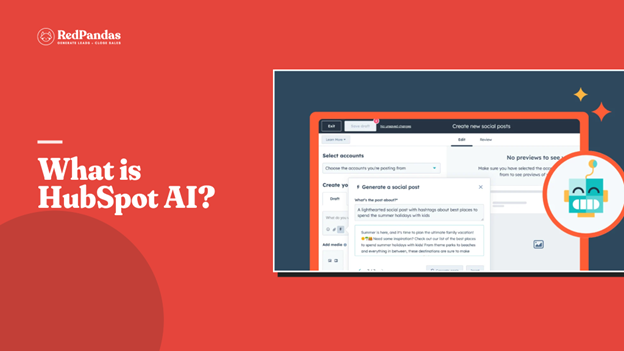
HubSpot AI now runs through Agent Hub, HubSpot’s central home for every AI agent. It’s accessible through these hubs:
- Marketing Hub
- Sales Hub
- Service Hub
- Content Hub
- Data Hub
Agent Hub launched in public beta on 23 July 2026, with access limited to HubSpot Professional and Enterprise customers only.
If you’re on Starter or the free CRM, HubSpot AI tools like Campaign Agent and Content Agent aren’t available yet. To access them, you’ll need to upgrade to Professional.
Three purpose-built agents cover most marketing campaign work. Each one lines up with a stage of your campaign.
How HubSpot AI Powers Your Campaigns in Three Stages
- Campaign Agent handles planning: Tell it your goal, and it builds a full, multi-channel campaign plan in one session
- Content Agent handles creation: It drafts blog posts, social posts, and landing pages in your brand voice, ready for your team to review
- AI-assisted reporting handles optimisation: It flags underperforming segments and channels early, before you’ve spent your full budget on them.
If you want to learn more about building the baseline for a successful HubSpot-powered strategy, check out this article on how to set up HubSpot lead scoring.
Planning Campaigns with HubSpot AI and Breeze Intelligence
Breeze Intelligence powers the planning stage of HubSpot AI. It tracks buyer intent, so you know which companies are worth targeting before you spend on media.
Buyer Intent covers four signal categories:
- Site visits
- Research activity
- Company news
- Changes to key contacts
As soon as you track a company, you get a 30-day look back at its signal history. This means you don’t start a campaign guessing.
With Buyer Intent, you start with a list of companies already showing interest in what you sell.
Using HubSpot AI Buyer Intent Signals to Prioritise High-Fit Audiences
Here’s what you need to know about using Buyer Intent and HubSpot AI to refine your marketing campaigns:
- Start by defining your target market: Set filters for industry, company size, and location, so Buyer Intent only flags businesses that fit your ideal customer profile
- You’ll need to decide what counts as intent for your business. Repeated visits to high-value pages, like pricing or a case study, are strong signals; a single blog visit usually isn’t
- Buyer Intent runs on HubSpot Credits, and tracking a company requires Data Enrichment permission. Factor this into your HubSpot AI budget alongside your Content Hub or Marketing Hub seats
Once a company matches your criteria, HubSpot flags it automatically. From there, you can trigger a task, send a Slack alert, or add the company straight into a campaign audience.
Building Smart Lists from HubSpot AI-Enriched Data
Smart lists turn your enriched data into a live audience. Instead of a static export, the list updates automatically as intent signals change.
This feature keeps your targeting current. A company that goes quiet drops out, and a company that starts researching your category moves in.
The best way to maximise smart lists is to use them as your starting brief. Whether you build the campaign yourself or brief Campaign Agent, start here.
A buyer-intent-qualified audience gives HubSpot AI a far stronger starting point than a generic persona.
Creating Campaign Content Faster with HubSpot AI and Content Agent
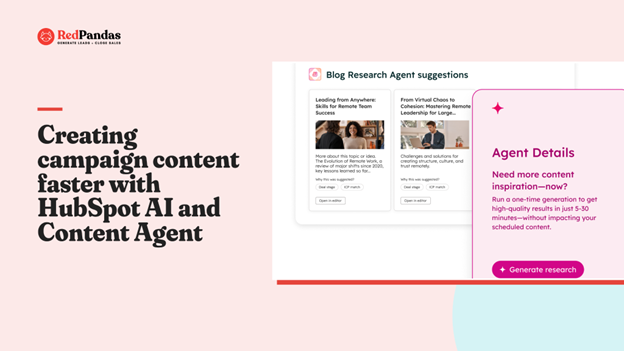
Content Agent lives inside Content Hub and needs a Professional or Enterprise seat. It drafts:
- Blog posts
- Landing pages
- Case studies
- Emails
After it puts these assets together, HubSpot AI hands them to your team for review.
80 per cent of marketers use AI for content creation, and 67 per cent of marketing teams say it saves them ten or more hours per week.
Note: that’s hours back in your week, not a full replacement for your writers.
Drafting Emails, Blog Posts, and Ad Copy with HubSpot AI
Content Agent handles the core formats first. It drafts blog posts, landing pages, case studies, and marketing emails using your CRM data and brand context.
Content Remix then extends that further by repurposing a finished asset into social posts and ad copy. This way, one blog post can seed a week of campaign content so you can maximise every piece of material you put out.
Brand Voice keeps it all consistent. Set your tone once, and HubSpot AI applies it across every draft it produces.
Where Human Review Still Matters for HubSpot AI Content
Content Agent works on a human-in-the-loop model. The agent drafts, and your team edits for accuracy, specificity, and brand voice before anything goes live.
It’s worth noting that paid landing pages need extra caution.
AI-generated drafts save time on the initial setup. They often add that time back in editing when the messaging needs correction.
The best way to use them is for rough A/B test variants, not your primary paid traffic destination without a full review.
At the end of the day, email compliance is still on you. Every commercial email to an Australian recipient needs consent, sender identification, and a working unsubscribe link.
That’s required under the Spam Act 2003, regardless of who or what drafted the words.
Personalising Follow-Up with HubSpot AI’s Nurture Agent
Nurture Agent picks up once Content Agent has drafted your assets. Instead of sending the same follow-up email to your entire contact list, it personalises each message based on where the lead actually is.
This means two people who downloaded the same guide can get two different follow-ups: one might need a case study, and the other might be ready for a demo.

How to Use HubSpot Breeze AI for Marketing, Sales and Customer Service
Optimising Campaigns with HubSpot AI Reporting and Forecasting
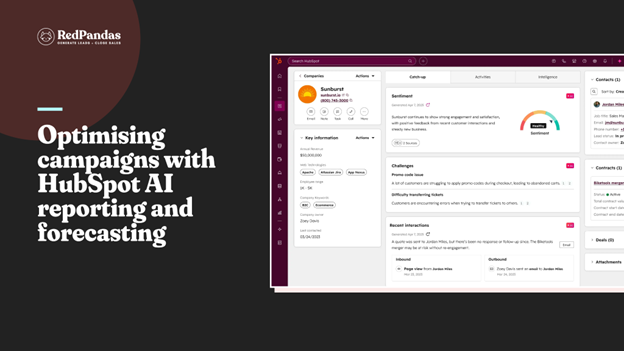
Measuring ROI is still the biggest headache for most marketers. A previously mentioned report found that 33 per cent of marketers name it their single biggest challenge.
That’s despite AI adoption sitting at an all-time high.
This is where the optimising stage of HubSpot AI earns its keep: it’s built to catch underperformance early and prove what’s actually working.
Spotting Underperforming Segments with HubSpot AI
Breeze AI can build a report from a plain English description. Describe what you want to see, like segment performance by channel, and it generates the report for you.
AI-assisted insights add a forecasting layer on top of that data. Instead of only showing you what already happened, it flags patterns worth watching.
That gives you room to adjust a campaign before results turn bad.
But there’s a caveat: you’ll need to check in more often than you think you need to.
HubSpot’s own research found that 59 per cent of marketers now review performance daily or weekly to monitor AI-assisted strategies. This is because waiting until a campaign ends can now be too slow to catch a problem early.
A/B Testing Your Campaigns with HubSpot AI
HubSpot’s A/B testing tool lets you test subject lines, email content, CTAs, and landing pages, one variable at a time.
Once a test ends, HubSpot AI automatically compiles the results. It calculates statistical significance and highlights the winning variant, so you don’t have to guess.
Remember: you need to send the test to enough people before you trust the result.
A test on a few dozen contacts won’t tell you anything reliable. Aim for at least a few hundred instead.
Curious to know how else HubSpot AI can be used to improve your marketing campaigns? This guide on HubSpot’s AI Prospecting Agent covers all you should know.
A Simple Workflow: Applying HubSpot AI at Each Campaign Stage
You don’t need every HubSpot AI tool running at once. HubSpot’s own guidance recommends activating one piece at a time, confirming it works, then adding the next.
Here’s a simple sequence to follow before your next campaign:
- Set your brand voice and context first: Every HubSpot AI tool draws from the same shared context, so this step makes every draft after it more accurate
- Define your target market and track buyer intent: Set filters for industry, size, and location, then decide what counts as genuine interest for your business
- Brief Campaign Agent with your buyer-intent audience: Give it your goal, and let it build the full campaign plan in one session
- Let Content Agent draft your assets: Review every draft for accuracy and brand voice before it goes anywhere near “publish”
- Repurpose and personalise: Use Content Remix for ad copy and social, then let Nurture Agent tailor the follow-up email to each lead
- Watch performance with AI-generated reports: Check in daily or weekly rather than waiting for the campaign to close out
- A/B test whatever HubSpot AI flags as weak: Send it to enough people, and let HubSpot calculate the winner for you
Give each stage real runtime before adding the next. A campaign built this way earns the reporting you’ll actually trust.
How RedPandas Uses HubSpot AI for Client Campaigns

RedPandas Digital runs the same three-stage HubSpot AI workflow covered above on live client accounts.
Buyer intent qualifies the audience, Content Agent drafts the assets, and human review comes before anything goes live.
Brand voice and Australian compliance stay non-negotiable. No draft from Content Agent or Content Remix reaches a client’s inbox or ad account unchecked.
We’ve applied this same approach for clients including Domaine Homes, Peak Education, and Empire Legal.
Want to see how this looks for a real client, start to finish? Read the full Out of Bounds case study for the complete breakdown.
Read the Out of Bounds Case Study
Frequently Asked Questions: HubSpot AI for Marketing Campaigns
How can I use HubSpot’s AI features to optimise my marketing campaigns?
Use HubSpot AI across three stages. Campaign Agent plans a full campaign from your goal, Content Agent drafts blog posts, emails, and landing pages in your brand voice, and AI-generated reports flag underperforming segments early. All three currently require Agent Hub, HubSpot’s central home for AI agents, on a Professional or Enterprise plan.
Can HubSpot AI write my marketing emails and ad copy?
Content Agent drafts marketing emails directly inside Content Hub, and Content Remix repurposes finished content into ad copy and social posts. Both require a Content Hub Professional or Enterprise seat and use a human-in-the-loop model, meaning your team reviews and edits every draft before it goes live.
How does Breeze Intelligence help target the right audience for a campaign?
Breeze Intelligence’s Buyer Intent tracks four signal types: site visits, research activity, company news, and contact changes. Set filters for industry, size, and location, and it flags companies that match your ideal customer profile before you spend on media, so your campaign starts with a warm audience instead of a guess.
Does HubSpot AI replace the need for a human marketer?
No. Content Agent and Campaign Agent both work on a human-in-the-loop model, meaning a person reviews every draft for accuracy, brand voice, and compliance before it’s published. HubSpot’s own agents are built to handle repetitive drafting and reporting work, freeing your team for strategy and judgement calls.
How much time does Breeze Content Agent actually save on content drafting?
HubSpot’s own 2026 State of Marketing Report found 67% of marketing teams using AI save 10 or more hours a week. The Pedowitz Group, which audits HubSpot portals professionally, found Content Agent specifically cuts blog drafting time by 50 to 60%. Paid landing pages need more caution, since messaging corrections can eat into those savings.
Can HubSpot AI tell me which campaign segment is underperforming?
Yes. Breeze AI can generate a report from a plain English description, and a beta feature called AI-assisted insights adds a forecasting layer on top. Check performance daily or weekly rather than waiting for a campaign to close out, so you can adjust before results turn bad.
Where to Start with HubSpot AI This Week
From here, the direction is simple: pick one stage, not all three.
Most teams try to switch on every HubSpot AI tool in the same week. Because of this, they get overwhelmed and end up not switching anything on for good.
Start with your Context tab and brand voice: every agent draws from it, so this ten-minute setup makes every tool that follows more accurate.
Then activate one agent and watch it for two weeks.
Campaign Agent for your next planning cycle, or Content Agent for your next content sprint, whichever matches your current bottleneck.
But if your team is stretched and you’d rather not run the experiment alone, RedPandas builds HubSpot AI workflows for Australian marketing teams every week: brand voice and compliance included.
Get in touch with RedPandas’ HubSpot experts for a free HubSpot AI campaign setup consultation here:
Get In Touch With RedPandas’ HubSpot Experts
About the Author
This article was written by the team at RedPandas Digital, a HubSpot Diamond Solutions Partner based in Sydney, Australia. RedPandas is one of a small number of agencies accredited under HubSpot’s Partnered Scale Onboarding program, and has delivered results including a 49.8% revenue increase and 378% lead growth within five months for an Australian client.
About the Author




Get the best content marketing insights right in your inbox!
Subscribe to our Newsletter and get marketing insights delivered to your inbox every week.