









Does HubSpot Optimisation Improve ROI?

Something about your HubSpot setup isn’t giving you the confidence you expected.
You’re paying for the platform, your team is logging in, leads are coming through… but when someone asks, “What ROI are we getting from HubSpot?”, you hesitate.
Your dashboards look busy, your reports look fine on the surface, but you still feel like you’re not seeing the full picture.
Maybe lead quality is inconsistent. Maybe your sales team doesn’t fully trust the data. Or maybe everything just feels messier than it should.
And behind all that is a quieter thought you don’t say out loud: “I don’t think we’re using this platform properly… and I don’t know how much value we’re missing out on.”
If that’s how you feel, you’re not alone: most companies only tap into a fraction of what HubSpot can actually do.
Not because they’re lazy or inexperienced, but because HubSpot only works when it’s set up in a way that reflects how your business actually operates. And when it’s not, the whole thing becomes confusing, slow, and hard to measure.
We’ve seen this exact tension in marketing teams, sales teams, and boardrooms. Everyone believes HubSpot should be driving growth, but no one can quite prove it.
That’s where HubSpot optimisation changes everything.
When your data is clean, your automations make sense, your lifecycle is defined, and your processes match reality, ROI stops being a question and becomes a number you can point to.
In this article, you’ll learn what HubSpot optimisation actually is, why most businesses never see ROI without it, and how fixing your setup transforms HubSpot from a cost centre into a revenue engine.
What Is HubSpot Optimisation?
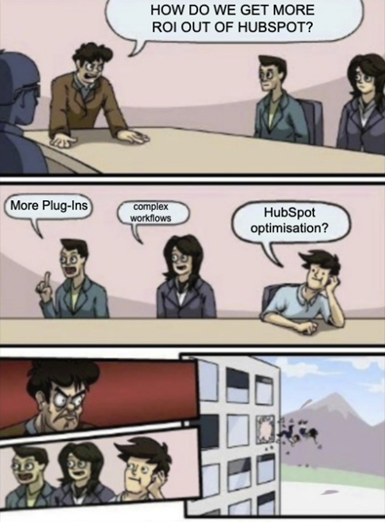
HubSpot optimisation is the process of making HubSpot work the way your business actually works, not the way it was set up on day one or what your team’s “just gotten used to”.
Think of it as removing friction, tightening processes, and turning the platform into a growth engine rather than a digital filing cabinet.
Most businesses assume HubSpot optimisation is just “tidying up the portal”, but it’s really about improving performance. Here’s what it really involves:
| Optimisation Area | What It Involves |
| 1. Data Cleanup and Structuring | Identifying and removing duplicate contacts and companies. Standardising properties and naming conventions. Ensuring data is accurate and relevant by reviewing custom fields. Aligning data with business-specific needs. |
| 2. CRM and Pipeline Alignment | Defining and optimising pipeline stages to match your sales process. Adjusting lifecycle stages (e.g. Lead → MQL → SQL → Customer) to reflect actual customer journeys. Mapping the pipeline stages to sales and marketing efforts. |
| 3. Workflow Optimisation | Reviewing and simplifying workflows to ensure clarity. Automating repetitive tasks like lead assignment and follow-ups. Setting clear triggers for actions to keep leads moving through the funnel. Removing unnecessary automation that doesn’t add value. |
| 4. Custom Views, Permissions, and Reporting | Creating role-based dashboards that show only the relevant information for each team (Sales, Marketing, Leadership). Setting permissions so team members only access the data they need. Designing reports that answer key business questions directly. |
| 5. User Experience and CRM Adoption | Streamlining layout and data entry fields to enhance user experience. Creating user-friendly templates and deal properties for consistency. Providing ongoing training and support to help teams make the most of HubSpot. |


Does Your Portal Need Work? Here’s How to Do a HubSpot Health Check
HubSpot optimisation, at the end of the day, is about making the platform work better for your business.
By aligning data, workflows, and CRM structures with your sales and marketing processes, you create a system that actively drives ROI rather than just tracking it.
Why Most Businesses Don’t See ROI from HubSpot

Despite what most teams think at first, HubSpot is rarely the problem.
The problem is how it’s being used… or more accurately, how it’s not being used. When the platform doesn’t reflect how your business actually operates, it can’t support your pipeline, your team, or your revenue goals.
Here are the real reasons businesses struggle to get ROI from HubSpot:
1. HubSpot Was “Set Up” Once and Never Revisited
Think of your initial HubSpot setup like moving into a new house: on day one, everything feels organised enough.
But fast forward two years, and your needs have changed, your routines are different, and suddenly the layout doesn’t make sense anymore.
Cupboards are cluttered, boxes pile up, and finding anything takes longer than it should.
That’s exactly what happens inside HubSpot.
Your business adds new products, your sales process changes, your marketing strategy matures, and your team grows… but HubSpot stays stuck in its original form.
When your CRM is built for the “old version” of your business, it becomes a blocker instead of a driver. And that makes ROI almost impossible to see because the platform is constantly out of sync with reality.
2. Poor Data Quality Makes Reporting Unreliable
Before you can trust HubSpot, HubSpot needs to be trustworthy.
And that starts with clean data.
Common issues with data quality include:
- Duplicate contacts that inflate numbers.
- Missing or inconsistent fields that ruin segmentation.
- Old, unqualified lists that keep getting recycled.
- Incorrect lifecycle stages that distort performance metrics.
Without trustworthy data, your team makes decisions based on guesswork. And when decisions rely on guesses, ROI stays out of reach.
Good data is the foundation. Without it, the whole portal falls apart.
3. Sales and Marketing Processes Don’t Match the CRM
A CRM is supposed to reflect your real sales and marketing processes, not act as a separate universe with its own rules. But in many businesses, HubSpot becomes disconnected from how the team actually operates.
When the CRM doesn’t match reality, people stop relying on it… and when people stop relying on it, that’s when ROI can die.
If you have this problem with your HubSpot portal, you’ll often see:
- Marketing passing leads that sales won’t follow up on.
- Sales stages that don’t match the actual buying journey.
- Lifecycle stages that no one understands.
- Handovers that get lost because the process only exists “in someone’s head”.
When marketing, sales, and CRM workflows don’t align, HubSpot can’t support revenue: it only creates friction.
4. Teams Don’t Fully Adopt HubSpot
HubSpot’s ROI depends on adoption.
If your team doesn’t use it consistently, the numbers fall apart, the data gets patchy, and the system loses value fast.
Low adoption almost always comes from a common root cause: Teams feeling like HubSpot is a source of extra work instead of being something that makes their jobs easier.
This often happens when:
- The CRM views are cluttered.
- The required fields are confusing.
- Salespeople don’t trust the data.
- Processes feel like admin instead of enablement.
If using HubSpot feels like filling out a form at the doctor’s office, your team will avoid it. And when they avoid it, the system stops representing what’s actually happening in the business.
Adoption isn’t a “nice to have”. It’s the number-one predictor of HubSpot ROI.

How to Tell If You’re Using HubSpot to Its Full Potential
Businesses don’t miss out on HubSpot ROI because the platform lacks capability.
They miss out because the system doesn’t evolve, the data becomes unreliable, the processes stop matching reality, and no one takes responsibility for maintaining performance.
6 Ways HubSpot Optimisation Can Improve ROI
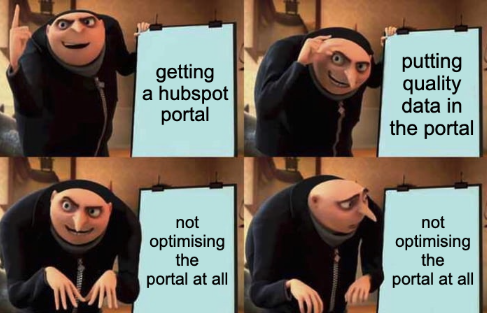
When HubSpot is properly optimised, it has the necessary foundation it needs to act as a revenue machine for your business.
Each part of your system becomes tighter, cleaner, and more aligned… and that creates measurable financial outcomes.
HubSpot optimisation can improve the ROI you get out of your portal for a few reasons:
1. Better Lead Quality
Your CRM is only as valuable as the quality of the leads flowing through it.
HubSpot optimisation sharpens that quality in certain ways, such as:
- Having cleaner forms and fields so that you collect the information that your sales team actually needs.
- Lead scoring prioritising the hottest leads so sales stops wasting time on contacts who were never going to convert.
- Lifecycle stages reflecting real buyer behaviour, not generic defaults.
- Nurture automation warming cold leads up so sales doesn’t have to.
Better lead quality means higher conversion rates, and improving your conversion rate at the top of the funnel always increases ROI.

How Do I Build a Lead Nurturing Workflow in HubSpot That Actually Works?
2. More Efficient Sales Cycles
Your sales team can move faster when your HubSpot portal removes friction instead of creating it.
Think of it this way: every manual step in your sales process is a speed bump. And it just so happens that HubSpot optimisation removes those bumps by:
- Automating follow-ups so your reps never forget to respond.
- Adding reminders and tasks so deals don’t stall due to human oversight.
- Streamlining the deal pipeline so it mirrors your real-world sales process.
- Ensuring your reps have all the data they need on one screen before they make a call.
Faster processes mean shorter sales cycles.
And shorter sales cycles mean you close more deals in less time, which directly improves ROI.
3. Accurate Reporting That Leadership Can Trust
Reporting is where HubSpot either becomes your most valuable strategic asset… or your biggest frustration.
When reporting is unreliable, you’re effectively making decisions in the dark. But, HubSpot optimisation turns the lights back on by:
- Cleaning up data to remove duplicates, errors, and inconsistencies so reports reflect reality.
- Standardising properties so you’re tracking the right information in the right way.
- Building revenue-focused dashboards that give leadership clarity on performance.
- Aligning lifecycle definitions to help ensure that marketing and sales are reporting from the same playbook.
Think of reporting like a car dashboard: if the speedometer is wrong and the fuel gauge is broken, you can’t make safe decisions.
Optimisation fixes the dashboard so you always know what’s working.
When leadership trusts the numbers, they can invest confidently, and confident investment improves ROI.
4. Automation That Replaces Manual Effort
Every manual task you automate is time you give back to your teams that they can spend generating revenue instead of doing admin.
Most businesses underestimate how much time they lose to small, repetitive tasks. Optimisation identifies these tasks and hands them over to automation:
- Lead routing.
- Contact assignment.
- Internal notifications.
- Data entry and enrichment.
- Follow-up sequences.
- Pipeline updates.
- Nurture workflows.
Automation compounds ROI because it scales infinitely: once built, it saves time every day without additional effort.
5. Stronger Alignment Between Marketing and Sales
If your teams don’t share definitions, expectations, and data, your funnel leaks… and leaked leads mean lost revenue.
Revenue can grow when marketing and sales work as one team rather than two disconnected departments. HubSpot optimisation creates this alignment through:
Optimisation aligns teams through:
- Shared lifecycle stage definitions.
- Clear qualification criteria.
- Documented handover processes.
- Visibility into each other’s activity.
- Unified reporting and dashboards.
Alignment removes friction, increases conversion rates, and strengthens pipeline flow: all of which feed directly into ROI.

How to Align Your Sales and Marketing Teams Using HubSpot
6. Higher CRM Adoption
HubSpot only creates value when people use it consistently, and optimisation makes the system intuitive, relevant to your teams, and user-friendly so that adoption becomes natural.
HubSpot optimisation can improve your team’s adoption rates through:
- Cleaner interfaces.
- Relevant views for each role.
- Removing unnecessary fields.
- Fixing confusing workflows.
- Training based on how the team actually works.
When adoption goes up, data quality improves: leading to better decisions, better targeting, and better ROI.

Why Most Businesses Struggle with CRM Adoption
When you unlock the tools you’re already paying for, your ROI increases without spending another dollar.
With optimisation, you’ll be able to make the most out of your HubSpot portal and empower your teams to use it for better results, profit, and efficiency in the long run.
What You Can Optimise First (and What Needs Expert Help)
If your HubSpot portal feels overwhelming, here’s the good news: you don’t need to optimise everything at once.
In fact, most of your ROI comes from fixing a handful of high-impact areas that directly influence revenue, efficiency, and reporting accuracy.
Here’s where you can start, and what’s best to leave in the hands of an expert instead:
What You Can Do Internally to Optimise Your HubSpot Portal
| Area You Can Optimise Internally | Why You Can Handle It | What It Achieves |
| Basic Data Clean-Up (duplicates, formatting, old lists) | Requires more time than technical skill | Cleaner reporting and more accurate segmentation |
| Pipeline Review (removing unnecessary stages, renaming) | Sales leadership already understands the real process | Faster sales cycles and better forecasting |
| Defining Lifecycle Stages (MQL, SQL, Opportunity) | Can be done internally if sales + marketing cooperate | Better lead quality and fewer handover issues |
| Simple Workflows (task creation, basic nurturing) | Good for teams familiar with HubSpot automation | Saves time and improves consistency |
| Dashboard Refresh (basic reports) | You know what leadership wants to see daily | Better visibility and faster decisions |
| Improving User Experience (simplifying views, removing clutter) | Based on team feedback; no deep technical skills needed | Higher CRM adoption and cleaner data |
| Creating Better Forms & Lead Capture | Straightforward updates with clear business logic | Improved lead quality and smoother handovers |
What You Probably Shouldn’t Do Internally
| Areas Better Done Externally | Why It Requires Expert Support | Risk of Doing This Internally |
| Deep Data Infrastructure Fixes (property architecture, associations, integrations) | Requires understanding of data models and long-term scalability | Breaking reporting, corrupting data, and workflow conflicts |
| Advanced Workflow Rebuilds (routing logic, stage automation, multi-branch workflows) | High-impact automation that touches multiple systems | Misfires that confuse sales, trigger errors, or lose leads |
| Attribution & Revenue Reporting (full funnel, multi-touch, custom models) | Requires expertise in HubSpot’s reporting logic | Leadership loses trust in data, or ROI becomes impossible to measure |
| Lead Scoring Models (behavioural + demographic scoring combined) | Needs statistical data review and cross-team alignment | Inflated scores or leads sent to sales too early |
| Multi-Pipeline Architecture (mapping complex sales teams or business units) | Must be designed for scalability and automation | Pipelines become cluttered or misaligned |
| Sales + Marketing Alignment Frameworks (SLAs, definitions, handovers) | Needs an unbiased third party to mediate and design best practices | Teams stay misaligned, and optimisation stalls |
| System-Wide Optimisation Strategy | Experience determines which changes create ROI fastest | Wasting time on low-impact fixes |

What is a HubSpot Retainer & What Does It Include?
By knowing what you can and can’t work on, you’ll be able to make the most out of your time by focusing on optimisation tasks that your team can easily handle. And for the tasks you can’t manage internally, we recommend bringing in the help of an expert like RedPandas.
Most businesses get the best ROI by combining internal ownership and external optimisation for complex, high-impact areas.
Get the Most Out of Your Portal With HubSpot Optimisation
HubSpot isn’t magically going to start performing tomorrow if it isn’t set up to support the way your business works today.
The businesses that see real ROI are the ones that choose to optimise before the problems compound.
But every month you wait, the cost of inaction gets higher:
- Messy data gets messier.
- Pipelines drift further from reality.
- Teams build workarounds that slow everything down.
- Forecasting becomes guesswork.
- ROI becomes harder to prove.
You’re always one optimisation away from faster sales cycles, clearer reporting, and a CRM your team actually uses because it makes their jobs easier.
So if you’re sitting there thinking, “Where do I even start?”, that’s your signal.
Not to overhaul everything. Not to panic. But to take one small, leveraged step.
Start by getting visibility, identifying the bottlenecks, and figuring out what’s holding your HubSpot data, your team, or your revenue back.
If you want help doing that, you can start with something simple and low-friction: book a free HubSpot consultation call with us and see exactly where the biggest wins are hiding in your portal.
About the Author





Get the best content marketing insights right in your inbox!
Subscribe to our Newsletter and get marketing insights delivered to your inbox every week.